


Yes, you can do search engine optimization yourself, and for most small business sites, blogs and niche stores the free tools are enough. Doing your own SEO comes down to five jobs: set up Google Search Console, pick keywords you can realistically win, optimize the pages you already have, fix the technical basics, then publish and earn links on a steady schedule. Budget about four hours a week for at least three months before judging results.
This guide turns those jobs into a 90-day plan you can tick off, with the exact menus to click, a worked example for a small local business, and a clear line on when doing it yourself stops being worth your time.
Key takeaways
- DIY SEO is realistic at about 4 hours a week: one new page or post (Orbit Media puts the average blog post at 3 h 20 min) plus an hour of fixes and outreach.
- The free stack covers almost everything: Search Console, Google Analytics, Bing Webmaster Tools, Keyword Planner, PageSpeed Insights and Screaming Frog (free up to 500 URLs).
- The alternative costs real money: $501–$1,000 a month is the most common SEO retainer, and agencies average $3,209 a month (Ahrefs survey of 439 providers).
- Start with winnable keywords: the median keyword Outrank targets for its 4,000+ customer sites has a difficulty of 14 and about 170 searches a month.
- Judge results at 3 months, not 3 weeks. Across Outrank customer sites, median Google clicks were up 28% after 12 weeks and about 2× after 7 months.
Can you do SEO on your own and get results?
You can, if three things are true: your market isn't dominated by national brands, you can write about what you sell better than a generalist, and you'll keep going for six months. A plumber in one city, a pottery studio, a SaaS tool for a narrow niche, or a hobby blog all fit. "Personal injury lawyer New York" or "best credit cards" do not; those results are owned by sites with years of links and big budgets.
The trade-off is time against money. Here's roughly what each route costs:
| Route | Typical cost | What you get |
|---|---|---|
| Do it yourself | About 4 hours a week, free tools | Full control, slower start, you learn the skill |
| Freelancer or agency | Most common retainer $501–$1,000/month; agencies average $3,209/month (Ahrefs survey of 439 SEO providers) | Expertise and time back, quality varies a lot |
| Automation tool | From about $99/month for daily articles and links (Outrank's pricing, October 2026) | Volume and consistency, you still review and steer |
Four hours a week is about 17 hours a month. If your time is worth $50 an hour, DIY "costs" around $850 a month, which is right in the range of a typical retainer. The difference is that you keep the knowledge. For a deeper look at paid options, see our guide to affordable SEO plans.
Your free DIY SEO toolkit
You don't need a paid subscription to start. These cover almost everything in the plan below.
| Tool | Use it for | Cost |
|---|---|---|
| Google Search Console | Indexing, queries, average position, clicks | Free |
| Google Analytics 4 | What visitors do after they land | Free |
| Bing Webmaster Tools | Bing rankings, a second site audit, backlinks | Free |
| Google Keyword Planner | Search volume ranges and keyword ideas | Free with a Google Ads account (no need to run ads) |
| Google Trends | Seasonality and rising topics | Free |
| PageSpeed Insights | Speed and Core Web Vitals per page | Free |
| Screaming Frog SEO Spider | Broken links, missing titles, redirects | Free up to 500 URLs per crawl |
| Ahrefs Webmaster Tools | Keywords you rank for, backlinks, site audit | Free for sites you verify |
| Yoast or Rank Math | Titles, meta descriptions, sitemaps on WordPress | Free versions available |
Adam Enfroy's walkthrough shows most of these in action if you prefer video:
Step 1: Set up Search Console and Analytics (week 1)
Everything else depends on data, so this comes first.
- In Search Console, click Add property and choose Domain. Verify by adding the TXT record it gives you at your domain registrar. A Domain property covers http, https, www and every subdomain in one place (Domain vs URL prefix explained).
- Go to Indexing → Sitemaps and submit your sitemap URL. WordPress with Yoast or Rank Math creates one at
/sitemap_index.xml; Shopify, Wix and Squarespace generate/sitemap.xmlautomatically. - Create a Google Analytics 4 property and add the tag (most site builders have a field for the measurement ID). Our Google Analytics guide covers the setup.
- Write down your baseline: clicks, impressions and average position for the last 3 months in Performance → Search results. You'll compare against it at day 90.
Step 2: Find keywords you can actually win (week 2)
Keyword research for a small site is a half-day job, not a quarter-long project. We'll use a fictional example throughout: a small pottery studio in Leeds that runs classes and sells finished pieces.
- List 5 to 10 seed topics from what you sell and what customers ask: pottery classes, wheel throwing, pottery gifts, kiln hire.
- Expand them for free. Type each seed into Google and note the autocomplete suggestions, the "People also ask" questions and the "People also search for" terms. Run the seeds through Keyword Planner for volume ranges.
- Check who ranks. Search each candidate. If page one is national brands and big publishers, park it. If it's forum threads, thin pages or other small businesses, it's winnable.
- Map one keyword to one page. Two pages chasing the same query compete with each other.
For the studio, the map might look like this:
| Keyword | What the searcher wants | Page to rank |
|---|---|---|
| pottery classes leeds | Book a class nearby | Classes page (exists, needs optimizing) |
| beginner pottery class cost | Compare prices | New pricing and FAQ page |
| how to center clay on a wheel | Learn a technique | New blog guide with photos |
| pottery gifts for mum | Buy a gift | Shop category page |
Aim for low-difficulty, specific phrases. The median keyword Outrank targets for its customers has a difficulty of 14 out of 100 and about 170 searches a month (Outrank platform data, 90 days to October 2026). Small keywords add up. For the full process, see our keyword research tutorial and how to find low-competition keywords.
Step 3: Optimize the pages you already have (weeks 3 and 4)
Your homepage, service pages and product categories usually have the most potential and the least work done on them. Fix them before writing anything new.
- Title tag: main keyword first, then a reason to click, under about 60 characters. "Pottery Classes in Leeds | Beginner Wheel Sessions from £45" beats "Home | Clay Studio". (Use your real prices.)
- H1: one per page, matching the title's promise.
- Meta description: 120–155 characters that answer the search and say what's on the page. It doesn't affect rankings directly but changes how many people click.
- First paragraph: say what the page offers, where, and for whom.
- Internal links: link from the homepage and related posts to the page, with descriptive anchor text.
- Images: descriptive file names and alt text ("student-centering-clay-on-wheel.jpg", not "IMG_2041.jpg").
Our guides to writing meta titles and optimizing blog posts for SEO go deeper on each element.
Step 4: Run a basic technical check (week 4)
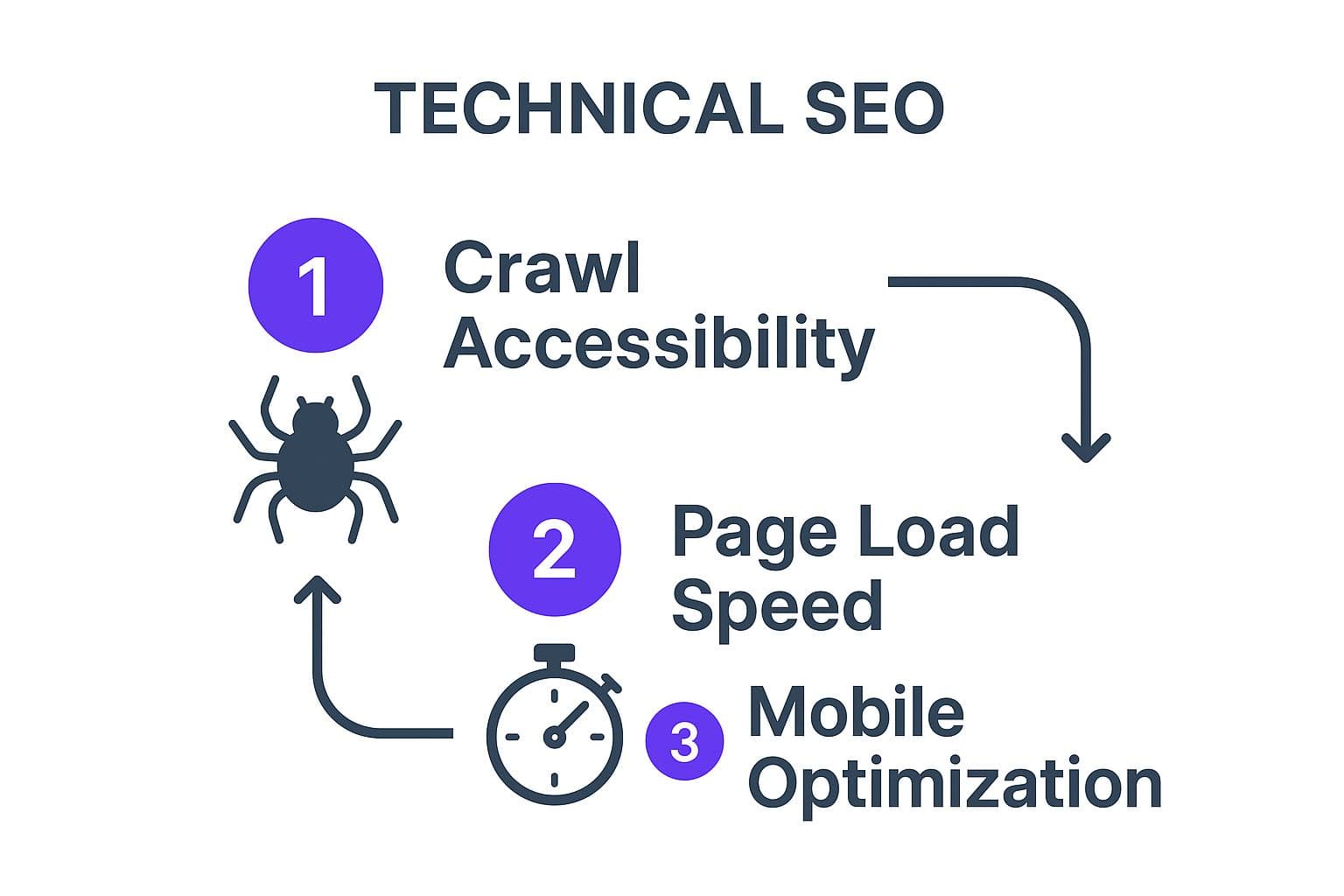
You don't need to touch code for most of this.
- Indexing: open Indexing → Pages in Search Console. Look at "Why pages aren't indexed" and make sure none of your important pages are in there.
- robots.txt: check Settings → robots.txt in Search Console. A stray
Disallow: /hides your whole site. - Speed: test your homepage and one typical page in PageSpeed Insights. The usual fixes are compressing large images, removing unused plugins or apps, and lazy-loading images below the fold.
- Mobile: Google indexes the mobile version of your site. Open every key page on your phone: readable text, tappable buttons, no sideways scrolling. Google retired its Mobile-Friendly Test in 2023, so use your phone and Lighthouse instead.
- Broken links and missing titles: crawl the site with Screaming Frog's free version and fix any 404s and empty title tags.
- HTTPS: every page should load on
https://, with the http version redirecting to it.
For a fuller pass, use our technical SEO audit checklist.
Step 5: Publish on a schedule you can keep (from week 5)
New pages are how you reach new searches. For a DIY site, one well-researched post or page a week is a realistic pace; Orbit Media's 2026 blogging survey of more than 1,000 marketers puts the average post at about 3 hours 20 minutes.
Volume does matter. Among Outrank customer sites, those publishing 30+ articles a month grew Google clicks a median 2.27×, against 1.07× for those publishing fewer than 5 (Outrank results data, October 2026). That's a correlation across sites rather than a controlled test, but it's a consistent pattern: sites that publish steadily on relevant, low-competition topics grow faster than sites that publish once in a while.
Two rules keep a small publishing habit effective:
- Answer one specific question per post, in the first two sentences, then add what you know that others don't: photos from your studio, your real prices, the mistake beginners make in your classes.
- Update before you write. Once a month, check Search Console for posts sitting in positions 8 to 20 and improve them. It's often faster than starting from zero.
If writing is the bottleneck, our tips on writing blog posts faster help.
Step 6: Earn your first backlinks without buying junk (ongoing)
Backlinks from relevant sites still move rankings, but skip the "500 links for $20" offers: they're what Google's spam systems exist to catch. Start with links you can get by asking:
- People you already work with: suppliers, partners, venues, clients who list recommended providers.
- Local and trade listings: your chamber of commerce, trade associations, local "what's on" sites, and a complete Google Business Profile.
- Unlinked mentions: set a Google Alert for your business name and ask sites that mention you without a link to add one (link reclamation explained).
- Something worth citing: a price guide, a simple calculator, or local data. Outrank's study of 6.2 million pages found free tools earn 2.11× the click-through rate of the same site's articles at positions 4 to 10.
More tactics in how to build backlinks.
Your 90-day DIY SEO checklist
Tick items as you go. Your progress is saved in this browser.
Interactive checklist
90-day DIY SEO plan
0/26
Week 1: set up tracking
0/5Week 2: keyword map
0/5Weeks 3 and 4: fix existing pages and technical basics
0/7Weeks 5 to 12: publish and earn links
0/5Every month after that
0/4Your progress is saved in this browser, so you can come back to it later.
How to tell if your DIY SEO is working
Watch impressions first, then average position, then clicks, in that order. Impressions rise when Google starts showing new pages, often within weeks; clicks follow once positions reach page one.
Be patient with the timeline. Ahrefs found the average #1 result is 5 years old. Across Outrank customer sites, median clicks were up 28% after 12 weeks and about doubled after seven months (results data). If impressions are flat after 90 days, revisit your keyword choices: they're probably too competitive. For the page-by-page process, see how to rank on Google, and avoid the SEO mistakes small business owners make most often.
When to stop doing SEO yourself
DIY stops making sense when:
- You're consistently skipping weeks because the business needs you elsewhere.
- Your keywords are dominated by national brands and you need serious link building.
- You're planning a site migration, redesign or platform change (mistakes here can wipe out rankings).
- You've found what works and the bottleneck is simply producing more pages.
For the last case, automation is the cheaper route. Outrank researches low-competition keywords for your site, writes and publishes an article a day to your CMS, and builds backlinks through its exchange, so your four hours go into reviewing and adding your own expertise rather than writing from scratch. For the first three, a specialist is worth paying; see our guide to SEO services for small business.
FAQ
Can I do SEO myself?
Yes. Most small business sites, blogs and niche stores can be optimized with free tools such as Google Search Console, Google Analytics and PageSpeed Insights. What it takes is about four hours a week for at least three to six months, and the discipline to target keywords your site can realistically win.
How do I do my own SEO optimization step by step?
Set up Search Console and Analytics, research keywords and map one to each page, rewrite titles and meta descriptions on your existing key pages, fix indexing, speed and mobile issues, then publish one useful page a week and ask partners and associations for links. Review results monthly and improve pages ranking in positions 8 to 20.
How long does DIY SEO take to work?
Expect impressions to rise within a few weeks of fixing indexing and publishing, and meaningful clicks after three to six months. Across Outrank customer sites, median Google clicks were up 28% after 12 weeks and roughly doubled after seven months. Competitive niches take longer.
How many hours a week does DIY SEO take?
About four hours a week is enough for a small site: three to four hours for one new post or page and an hour for fixes, internal links and outreach. The first two weeks take more, because setup and keyword research happen up front.
Is DIY SEO really free?
The tools can be: Search Console, Analytics, Bing Webmaster Tools, Keyword Planner, PageSpeed Insights and the free version of Screaming Frog cover the basics. What you pay with is time. Paid tools such as Semrush or Ahrefs speed up research and competitor analysis but aren't required to start.
What should I do first when doing SEO myself?
Verify your site in Google Search Console and check that your important pages are indexed under Indexing → Pages. If Google can't index a page, no amount of keyword work will help it rank. Then write down your baseline numbers so you can measure progress.


