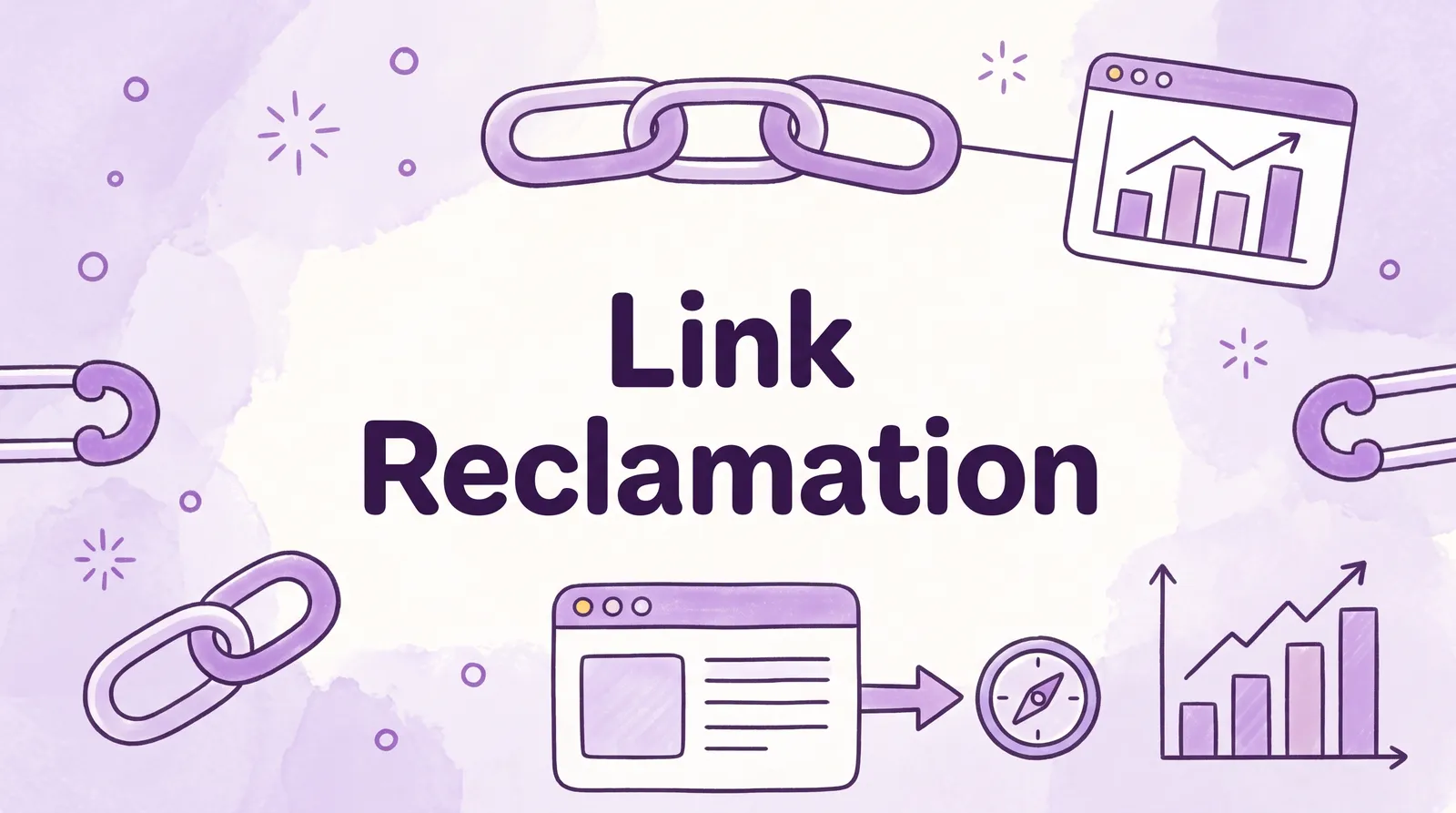
Link reclamation is the process of finding backlinks you have lost, or never received credit for, and getting them back. It covers four cases: links that point to pages on your site that now return a 404, links with the wrong URL, links an author removed, and mentions of your brand that never had a link. The first two you fix on your own site with a redirect; the last two take one short email.
It is the cheapest link building there is, because each site already chose to reference you once. And it matters more than most teams think: Ahrefs' link rot study found that 66.5% of links pointing to a sample of 2 million websites had died within nine years. This guide gives you the six-step process, the exact reports to use in Ahrefs and Search Console, email templates and a checklist.
Key takeaways
- Link reclamation means recovering backlinks you lost (removed, broken, redirected wrongly) and turning unlinked brand mentions into links.
- Links decay fast: 66.5% of links to 2 million sites rotted over nine years, and 74.5% were lost for SEO once crawl errors are counted (Ahrefs).
- Fix your own side first. A 301 redirect from a dead URL to the closest live page recovers every link pointing at it, with no outreach.
- In Ahrefs, Site Explorer → Backlinks → Lost shows links lost in the last 30 days with a reason. Pursue "Link removed", "Not found" and "Broken redirect"; skip most of the rest.
- Reclaiming one link costs an email. Replacing it costs an average of $225 for a link insertion or $459 for a guest post (Adsy, 2026).
What is link reclamation?
Link reclamation is recovering the value of backlinks that already exist or should exist: links that broke, changed, disappeared or were never added. It differs from broken link building, where you find dead links on other sites pointing to someone else's content and pitch yours as the replacement. Reclamation only deals with links that were meant for you.
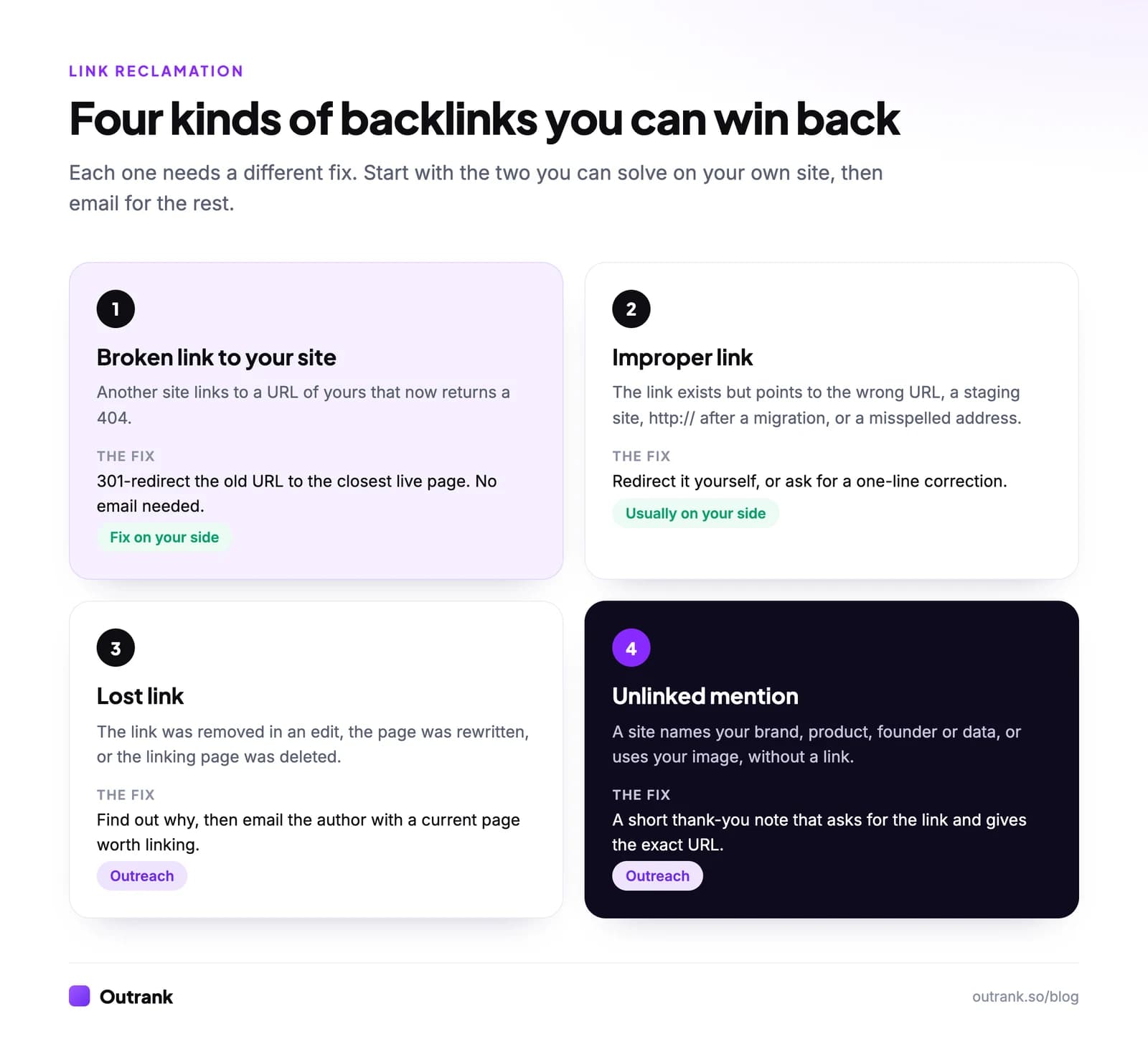
The four types, in the order you should handle them:
- Broken links to your site. Someone links to a URL of yours that now returns a 404, usually after a redesign, a slug change or content pruning. Fix: a 301 redirect.
- Improper links. The link points to the wrong place: a staging domain,
http://after an HTTPS move, an old domain after a rebrand, or a typo. Fix: redirect it if you control the URL, otherwise ask for a one-line correction. - Lost links. The link was removed when the page was edited, rewritten or deleted. Fix: understand why, then ask, with a current page worth linking.
- Unlinked mentions. A site names your brand, product, founder, study or uses your image without linking. Fix: a short note asking for the link.
Why link reclamation is important
Every backlink you lose takes some ranking strength with it, and links are lost constantly. The web is less permanent than it looks:
74.5%
of links were lost for SEO once crawl errors and other issues are counted
Same Ahrefs study
Reclamation also has the best odds of any link tactic. Cold outreach gets a reply 8.5% of the time (Backlinko), and earning a brand-new link from a stranger is slow or expensive: Adsy's 2026 study of 52,671 sites put the average link insertion at $225 and the average guest post at $459. A site that already linked to you, or already wrote about you, has done the hard part. Many reclaimed links take no email at all.
The 6 link reclamation steps
- 1
Export your lost and broken backlinks
In Ahrefs, open Site Explorer, enter your domain and go to Backlinks → Lost (links lost in the last 30 days). Turn on the best-links filter to cut the list to links worth keeping. Then open Best by links under Pages and filter to HTTP 404 to find dead URLs on your site that still have backlinks. In Search Console, open Links → Top linked pages and check the status of each URL. In Semrush, use Backlink Analytics and filter backlinks to Lost. - 2
Find out why each link was lost
Ahrefs labels every lost link with a reason: Link removed, Not found, Broken redirect, Noindex, Not canonical anymore, 301/302 redirect, Crawl error or Dropped. Click Show changes to compare the linking page before and after. The reason decides the fix. - 3
Fix everything on your side first
301-redirect every dead URL that has backlinks to the closest live equivalent (not to the homepage). Repair broken redirects and chains left by migrations. Restore pages deleted by mistake. This step alone often recovers more links than all the outreach that follows. Our guide on how to fix broken links covers the redirect side. - 4
Prioritise what is left
Keep links from relevant pages with real organic traffic, placed in the body of the content. Drop links from sites that died, were de-indexed or never mattered. Ahrefs' own guidance: Link removed is often worth pursuing, Not found and Broken redirect sometimes, the rest rarely. - 5
Reach out with one short, specific email
Name the page, the link, what changed and the exact URL to use. One follow-up after a week, then stop. Templates are below. - 6
Monitor so you catch the next loss early
Set Ahrefs alerts for new and lost backlinks, recheck your most valuable links every quarter, and keep a log of what you asked for. Our free backlink monitor checks whether a list of links is still live, followed and on an indexable page.
How to regain lost backlinks in Ahrefs
Ahrefs is the tool most people use for this, so here is the path in one place. In Site Explorer, enter your domain, then Backlinks → Lost. Filter to the best links, then by reason:
| Ahrefs reason | What happened | Worth pursuing? |
|---|---|---|
| Link removed | The page still exists, but your link is gone | Often. The page may have been refreshed or the link replaced |
| Not found | The linking page now returns a 404 | Sometimes, if it was deleted by accident |
| Broken redirect | The linking page redirects to an error | Sometimes, if a redirect was removed by mistake |
| 301/302 redirect | The linking page moved | Occasionally, if the new page still mentions you |
| Noindex, Not canonical anymore, Crawl error, Dropped | The page left the index or can't be crawled | Rarely |
Source: Ahrefs' link reclamation guide. For dead pages on your own site, use Pages → Best by links filtered to 404 and redirect each one.
Link reclamation tools
You can run the whole process with free tools on a small site. Paid tools mostly save time on discovery and alerts.
Link reclamation tools compared
| Google Search Console | ✓ | ✕ | ✓ | ✕ | Top linked pages on your own site; a sample, not every link |
| Ahrefs | ✕ | ✓ | ✓ | ✓ | Lost backlinks with reasons, Best by links, alerts, Content Explorer for mentions |
| Semrush | ✕ | ✓ | ✓ | ✓ | Backlink Analytics lost filter, Brand Monitoring for mentions |
| Google Alerts | ✓ | ✕ | ✕ | ✓ | New mentions of your brand by email |
| Outrank Backlink Monitor | ✓ | ✓ | ✕ | ✕ | Checks a list of known links: still live, followed, indexable |
| Wayback Machine | ✓ | ✕ | ✕ | ✕ | Proves a link existed before you ask for it back |
Click a column header to sort.
Note that Google says the Search Console Links report is a sample and may include links that no longer exist, so use it to find pages that attract links rather than as a full list.
Link reclamation email templates
Keep it short, specific and easy to act on. Personalised emails get 32.7% more replies than generic ones, and one follow-up lifts replies by 65.8% (Backlinko).
When a link was removed
Subject: Your [page title] guide
Hi [first name],
Your [page title] used to link to our [resource] in the section on [topic]. It looks like the link dropped out in a recent update.
We've since updated that page with [one concrete improvement: 2026 data, a new calculator]. If it's still useful to your readers, here's the URL: [URL].
Thanks either way, [Name]
When their link points to the wrong URL
Subject: Small fix on [page title]
Hi [first name],
Thanks for mentioning [brand] in [page title]. The link points to [old URL], which no longer works after we moved [domain or page]. The current address is [URL].
Would you mind updating it?
[Name]
When they mentioned you without a link
Subject: Thanks for the mention in [page title]
Hi [first name],
Thanks for including [brand / our study / our tool] in [page title]. Would you be open to linking the mention to [exact URL], so readers can find [the data / the tool] directly?
[Name]
For images used without credit, find copies with Google Lens or a reverse image search, then use the third template and ask for a credit link.
Link reclamation checklist
Interactive checklist
Link reclamation checklist
0/15
Find
0/5Fix on your side
0/3Reach out
0/4Prevent
0/3Your progress is saved in this browser, so you can come back to it later.
Advanced link reclamation
Once the basics are routine, these recover links most teams miss:
- Migration leftovers. After a domain change, HTTPS move or CMS migration, export every old URL that ever had backlinks (from Ahrefs or your old sitemap) and confirm each one redirects in a single hop to a live page.
- Pruned content. Content audits delete pages that earned links years ago. Before you delete, check backlinks; after, redirect.
- Links that turned nofollow. Backlink tools record whether each link is followed, so compare exports over time to spot links that switched. If a partner or customer page made the change during a redesign, a polite note often reverses it.
- Your data and quotes. Search for distinctive numbers from your studies, or quotes from your founder, in quotation marks. Journalists and bloggers often cite figures without linking the source.
- Competitor brand confusion. Mentions of your product sometimes link to a competitor or a review site. Ask for the correct link.
When a link reclamation service makes sense
Outsourcing makes sense when you have thousands of backlinks, a recent migration, or no time for the follow-ups. Many link building agencies offer reclamation as a one-off audit. Ask for the list of links recovered, not just emails sent, and make sure redirects are handled by your own team or developer.
If you build links through Outrank, monitoring is part of the product. Every link placed through Outrank Backlinks is rechecked every 2 days for 90 days; if one disappears, the publisher has 7 days to restore it before the credits are returned and the page is placed elsewhere. Links in Outrank's exchange are verified live and listed in your dashboard, and count toward a guarantee of 15 verified backlinks a month.
Where link reclamation fits in link building
Reclamation keeps what you've earned; it doesn't replace earning new links. Run it alongside the tactics in how to build backlinks, and use the numbers in how many backlinks you need to rank to see how big your gap is. New to the topic? Start with what backlinks are and which ones help. For more data on link decay and outreach, see our link building statistics.
FAQ
What is link reclamation in SEO?
Link reclamation is the process of recovering backlinks you lost or never received credit for. It includes redirecting dead URLs that still have backlinks, correcting links that point to the wrong address, asking authors to restore removed links, and turning unlinked brand mentions into links. It is one of the fastest link building tactics because the linking site already knows you.
Why is link reclamation important?
Backlinks disappear constantly: Ahrefs found 66.5% of links to 2 million websites had rotted within nine years. Each lost link takes some ranking strength with it, and replacing it with a new link costs far more effort or money than recovering it. Reclamation protects the authority you have already built.
How do I find lost backlinks?
Use Ahrefs Site Explorer → Backlinks → Lost, or Semrush Backlink Analytics with the lost filter, to see links that disappeared recently and why. Find dead pages on your site that still have backlinks with Ahrefs' Best by links report filtered to 404, or by checking Search Console's Top linked pages. Then redirect or reach out depending on the reason.
How do I reclaim lost backlinks?
First fix what is on your side: 301-redirect any dead URL with backlinks to its closest live page and repair broken redirects. For links removed by the linking site, email the author with the page, what changed and a current URL worth linking. Send one follow-up after a week.
What is the difference between link reclamation and broken link building?
Link reclamation recovers links that were meant for your site: links to your dead pages, links with a wrong URL, removed links and unlinked mentions. Broken link building finds dead links on other sites pointing to someone else's content and offers your page as a replacement. Reclamation usually has much better odds because the site already referenced you.
What is link restoration?
Link restoration is another name for link reclamation, usually meaning getting a removed or broken backlink working again. It covers redirecting the dead target URL on your site or asking the linking site to put the link back. Some link vendors also use it for re-placing links that disappear within a guarantee period.