To find low competition keywords, start from specific customer problems, pull candidates from a keyword tool, and keep the ones with real search volume and a low keyword difficulty (KD under 20 is a safe start for a young site). Then open Google and confirm the first page is beatable: forum threads, thin or outdated posts, or pages with fewer backlinks than yours. Group the survivors into clusters and write one strong page per cluster.
The tool score gets you a shortlist. The 5-minute look at the actual results decides. This guide gives you the full method, a checklist you can tick off for every keyword, and data from 183,540 keywords Outrank targeted for customer sites.
Key takeaways
- A low competition keyword is one where the current first page is weak enough for your site to outrank, not just one with a low KD score.
- Start with KD under 20 if your site is new. 63% of the keywords Outrank targeted in the last 90 days had a KD under 20, and 81% were under 30.
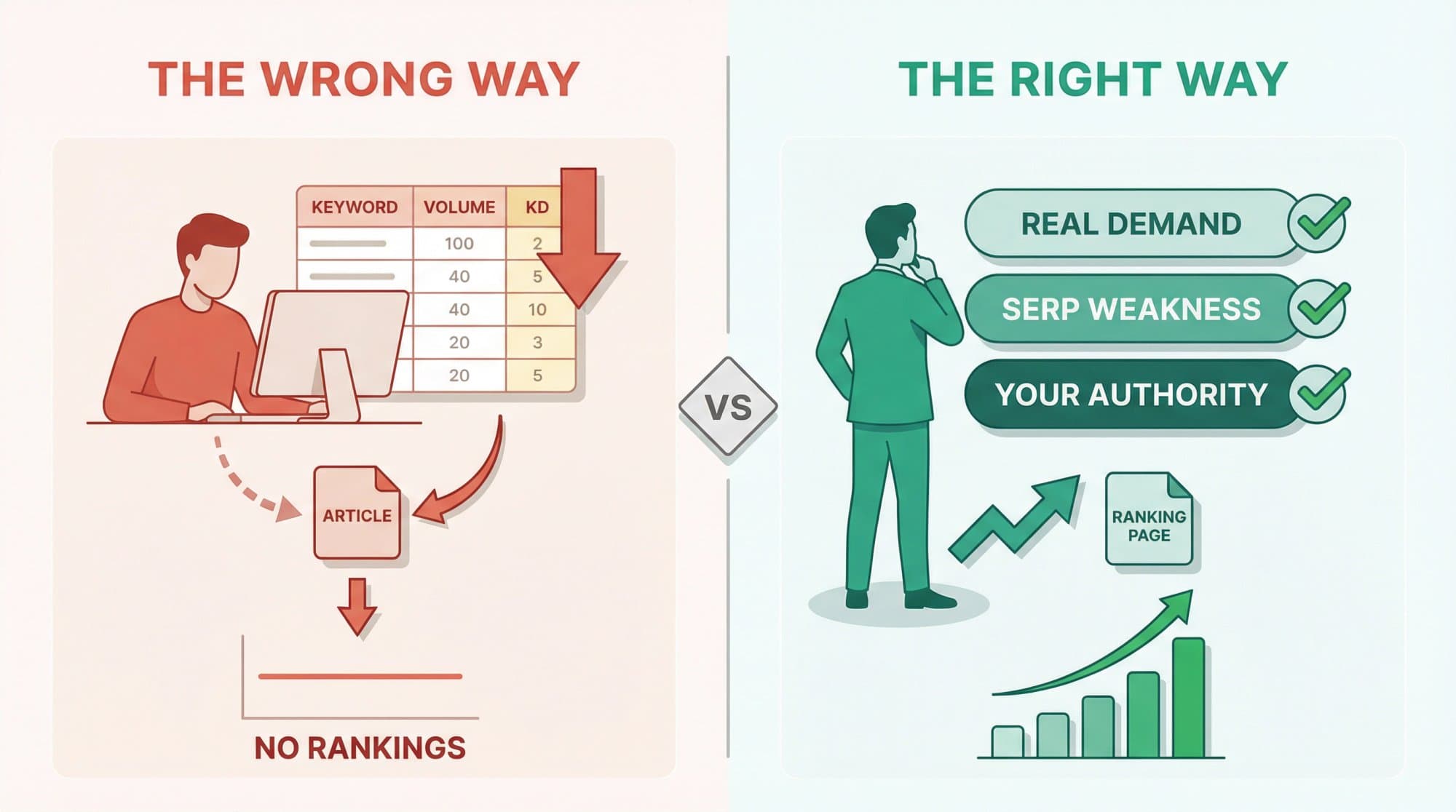
- KD measures backlinks to the top 10 pages. It ignores content quality, intent match and freshness, so always check the live results before you write.
- Forums, outdated posts and pages that miss the searcher's intent in the top 5 are the clearest signs of an easy keyword.
- Write one page per cluster of keywords that share the same results, not one page per keyword.
What are low competition keywords?
A low competition keyword is a search term where the pages on Google's first page are weak enough that your site can realistically outrank them. Weak can mean few backlinks, thin or outdated content, or a poor match for what the searcher wants.
That makes "low competition" relative. The same keyword can be easy for a site with 200 articles on the topic and hopeless for a domain registered last week. Semrush built a separate Personal Keyword Difficulty score for exactly this reason: it estimates how hard a keyword is for your domain, not for an average one.
Keyword difficulty vs "competition" in Keyword Planner
Two different metrics share the word "competition":
- Keyword difficulty (KD) is an SEO score from 0 to 100 that estimates how hard it is to reach Google's top 10 organically. Ahrefs calculates it from how many websites link to the current top 10 pages.
- Competition in Google Keyword Planner (low, medium, high) describes how many advertisers bid on the keyword. It says nothing about organic rankings. A keyword can be "high" competition for ads and easy to rank for in SEO.
When people search for "competitive keywords," they usually mean the first kind. For keywords your competitors rank for and you don't, see our keyword gap analysis guide.
What counts as a low KD in each tool
Every tool calculates difficulty its own way, so a KD of 15 in Ahrefs and 15 in Semrush are not the same thing.
| Tool | How KD is calculated | What "low" looks like |
|---|---|---|
| Ahrefs | Linking websites to the top 10 ranking pages | KD 0–5: top pages "barely have any backlinks"; around 50: a couple of hundred backlinks |
| Semrush | Backlinks and Authority Score of the top 10, plus volume, SERP features and branded terms | 0–14 "very easy", 15–29 "easy", 30–49 "possible" |
| Outrank free keyword tool | Difficulty from its keyword data provider | KD 35 or below is flagged as a "quick win" |
Our rule of thumb for a first filter: KD under 20 for a new site, under 30 once you have a few dozen indexed articles and some referring domains, and higher only when the SERP check says yes. It is a starting point, not a law.
That is also roughly where Outrank lands when it picks keywords automatically for customer sites:
Keyword difficulty of the keywords Outrank targets
Hover or tap the chart for exact values.
The 7-step method
Step 1: Start from customer problems, not topics
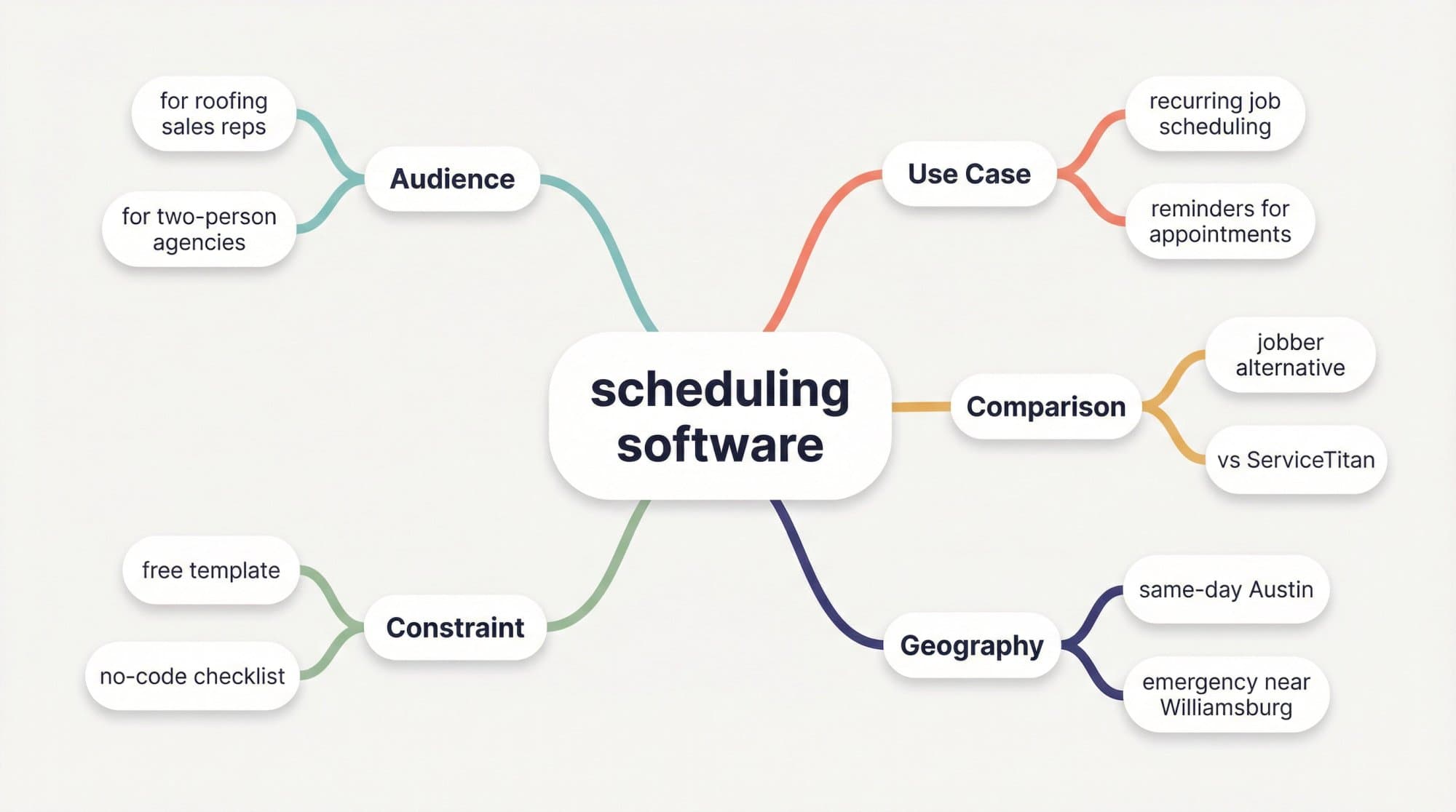
Low competition lives in specifics. "CRM" is a battlefield. "CRM for roofing sales reps", "HubSpot alternative for a two-person agency" and "how to follow up stale leads without a CRM" are not.
Before opening a tool, write down the problems, comparisons, integrations and edge cases your customers bring up in sales calls, support tickets and reviews. Then multiply each seed with modifiers:
| Modifier type | Examples |
|---|---|
| Audience | for agencies, for churches, for CFOs, for two-person teams |
| Use case | onboarding, renewals, reminders, recurring jobs |
| Comparison | vs, alternative, migrate from |
| Integration | with QuickBooks, with WhatsApp, for Shopify |
| Location | in Austin, near me, same-day, emergency |
| Constraint | free, template, checklist, under $50, no-code |
Step 2: Expand the list from four sources
- A keyword tool. Put each seed into a keyword database to get hundreds of variations with volume and KD. Outrank's free keyword research tool needs no signup; Ahrefs Keywords Explorer and Semrush's Keyword Magic Tool go deeper on paid plans.
- Competitors. Look at the keywords sites like yours already rank for. Pick competitors with similar authority, not the category leader. Our competitor keyword analysis guide shows how.
- Your Search Console. Go to Performance → Search results → Queries and look for queries where you sit in positions 8–30. Google already associates you with them, which makes them the fastest wins.
- Real conversations. Reddit threads, Quora questions, Google's autocomplete and "People also ask" boxes surface phrasing that keyword databases often miss or show as zero volume.
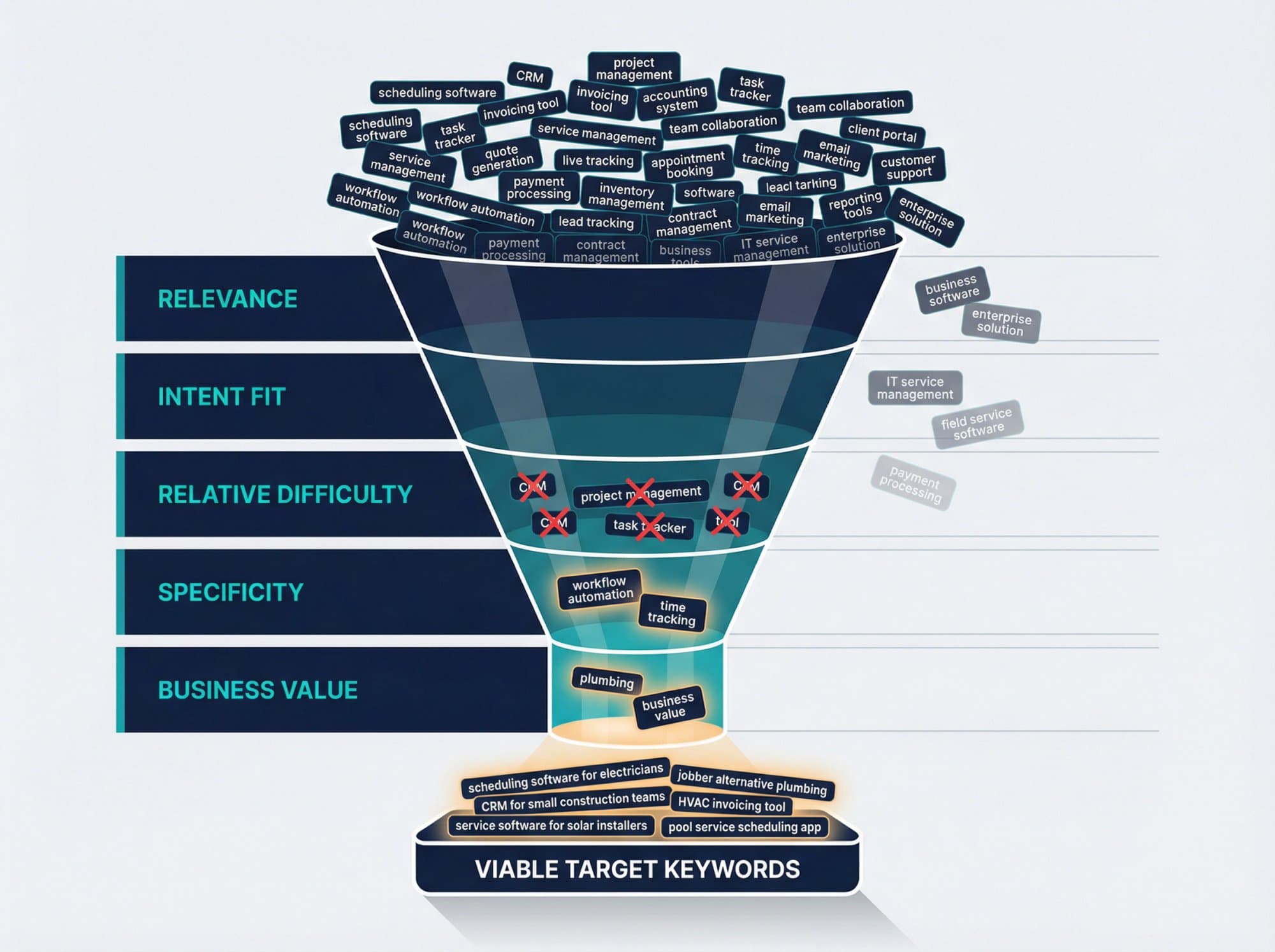
Step 3: Filter by difficulty, volume and fit
Cut the list down before you look at a single SERP:
- Difficulty: apply the KD ceiling that matches your site (see above).
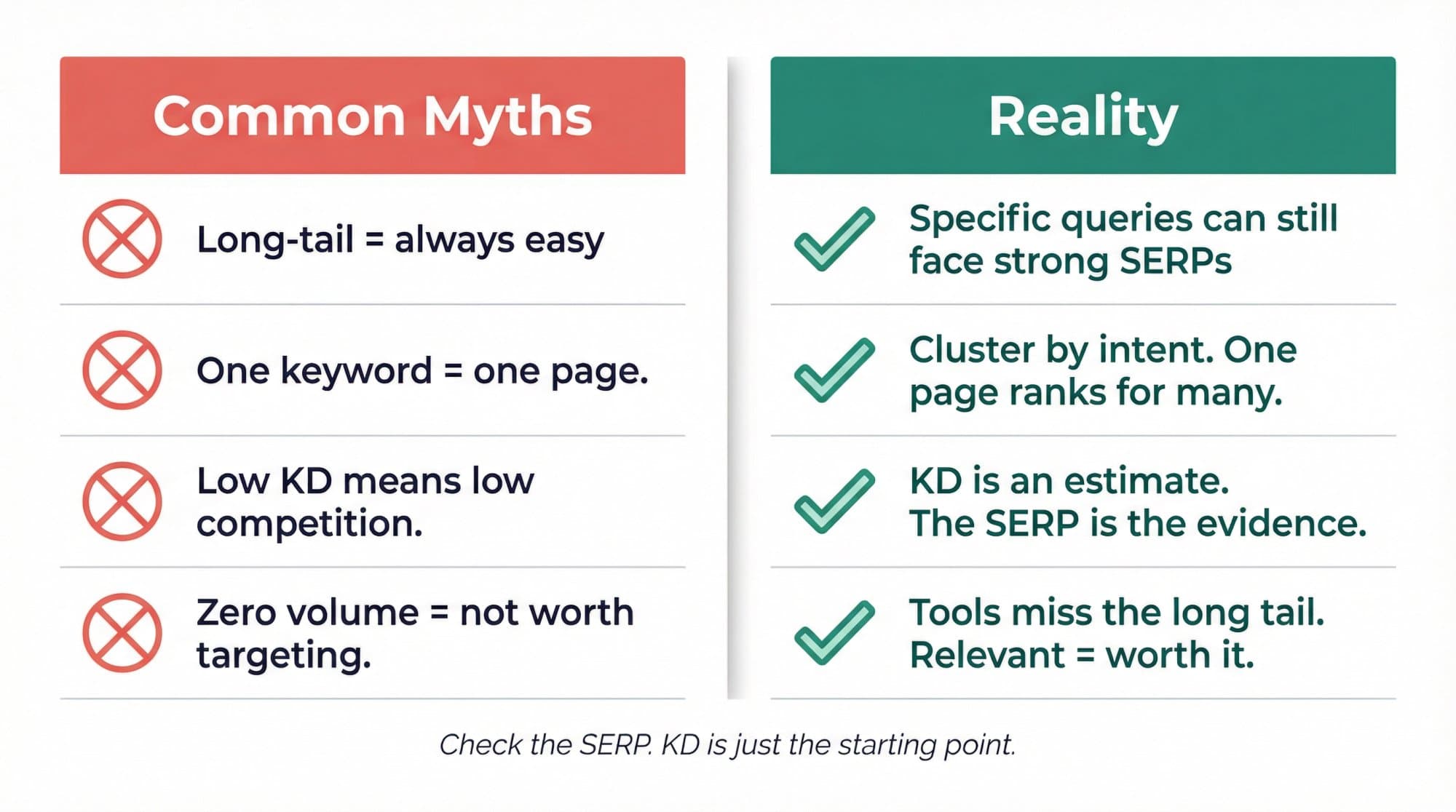
- Volume: keep anything with real demand, even 20–50 searches a month. Volume tools under-report the long tail; a keyword showing "0" can still bring visitors.
- Relevance: if you couldn't link the page to something you sell or stand for, cut it.
- Intent fit: if the results are product pages and you'd write a blog post (or the reverse), cut it for now.
Step 4: Run the 5-minute SERP check
This is the step that turns a low KD into a real opportunity, and the one most people skip. Search the keyword in a private window, set to the country you target, and look at the top 10 with these questions:
- Who ranks? Reddit, Quora or niche forums in the top 5 mean Google lacks a good dedicated page. That is the strongest green flag.
- How old are the pages? Posts from three or four years ago with outdated screenshots, prices or tools are beatable.
- Do they answer the query? Pages that rank for a broader topic and only mention your keyword in passing are weak competition.
- Is there a pattern of small sites? If sites with similar or lower authority than yours are on page one, Google is open to newcomers on this query.
- What format wins? Listicles, how-tos, tools, product pages: match the dominant format or skip the keyword.
A keyword with KD 25 and two forum threads on page one is often a better target than a KD 10 keyword where every result is a big brand that matches the intent perfectly.
Step 5: Check the click potential
A winnable keyword is only worth it if winning brings clicks. Note what sits above the organic results: ads, a map pack, a featured snippet, or an AI Overview. Ahrefs found the top result's click-through rate is 58% lower when an AI Overview appears (December 2025 data). That doesn't rule a keyword out, but it lowers what it's worth. Our search volume guide has a calculator for turning volume into expected clicks.
Step 6: Cluster before you write
Keywords that return the same top results belong on the same page. A practical test: if three or more of the top 10 URLs are shared between two keywords, target both with one page. "Best invoicing software for freelancers", "freelancer invoicing software" and "invoicing tool for freelancers" are one page, not three. Writing separate pages splits your signals and can leave them competing with each other.
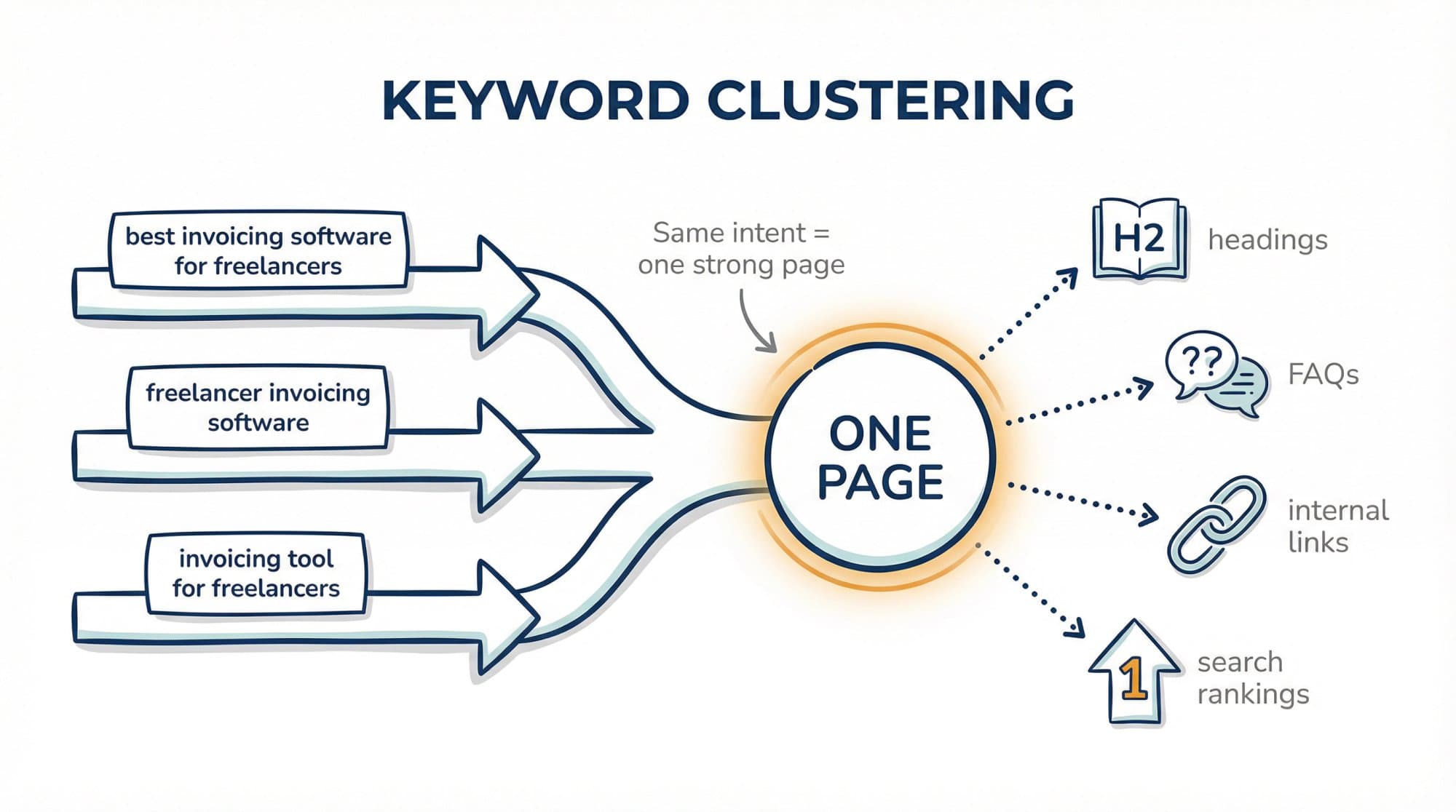
Pick the variation with the clearest intent as the primary keyword and use the rest in headings, FAQs and internal link anchors. More on the method in what is keyword clustering.
Step 7: Publish, then watch positions 8–20
New pages usually earn impressions before clicks. After 4–6 weeks, open Search Console, filter by the page, and look at queries in positions 8–20. Those are one update away from page one: add a section that answers them, tighten the title, and add internal links from related posts.
Expect a slow start. In Outrank's study of 2,119 sites, the median site's Google clicks were up 7% after the first 28 days, 27% after 84 days, and 2.0× by month 7. Low competition keywords are how that curve starts.
The low competition keyword checklist
Use it for each keyword on your shortlist. Your progress saves in your browser.
Interactive checklist
Low competition keyword checklist
0/12
Before you open Google
0/4The 5-minute SERP check
0/5Before you write
0/3Your progress is saved in this browser, so you can come back to it later.
A worked example: scheduling software
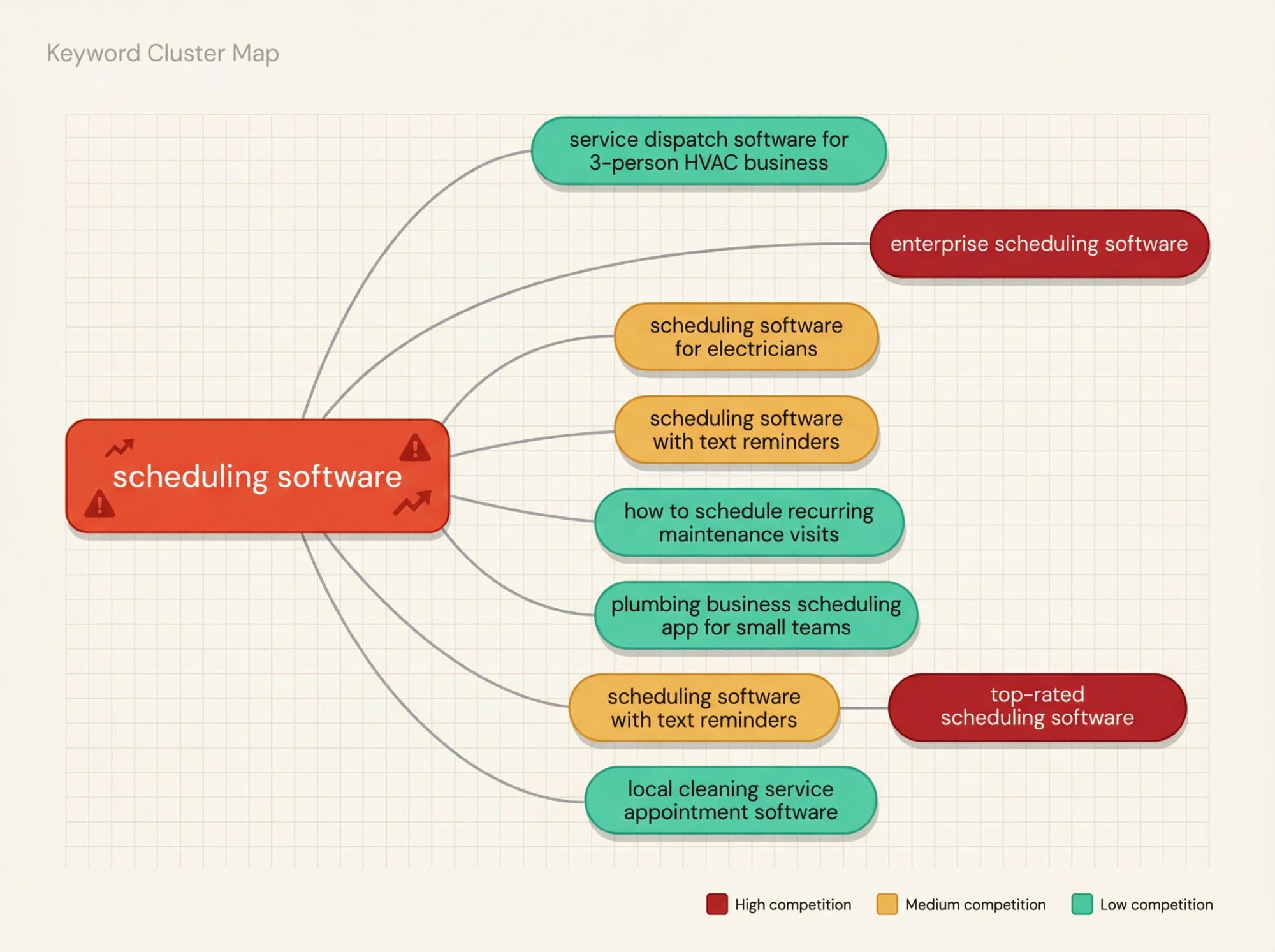
Say you sell scheduling software for home-service businesses. The seed "scheduling software" is broad and dominated by review sites and big vendors. Modifiers turn it into a ladder:
| Candidate keyword | Intent | Likely competition | Why it may work |
|---|---|---|---|
| scheduling software | Commercial | Very high | Too broad, review giants own it |
| scheduling software for electricians | Commercial | Medium | Clear audience, narrower SERP |
| jobber alternative for plumbing company | Commercial | Low to medium | Buyer intent, few dedicated pages |
| how to schedule recurring maintenance visits | Informational | Low | Tutorial query, good cluster starter |
| service dispatch software for 3-person HVAC business | Commercial | Low | Very specific audience and size |
| recurring maintenance visit scheduling template | Template | Medium | The SERP may want a downloadable asset |
The "likely competition" column is a hypothesis until you run the SERP check from Step 4 on each one. A sensible plan starts with the informational cluster (recurring maintenance visits, reminders, no-show reduction), which builds topical relevance, and adds one commercial page like the Jobber alternative if its SERP passes the checklist.
For ready-made patterns in other industries, see our low competition keyword examples by niche.
Low competition and high traffic: does it exist?
Rarely, and usually not for long. A keyword with thousands of searches and a weak first page attracts competitors fast. Of the keywords Outrank targeted in the last 90 days, only 3.3% had more than 1,000 searches a month.
The realistic ways to get "high traffic, low competition" are:
- Clusters, not single keywords. Twenty long-tail keywords at 100 searches each add up to more traffic than one 2,000-search head term you'll never rank for, and a good page ranks for many of them at once. See long-tail keyword research.
- Rising topics. New products, features, regulations and tools create search demand before the big sites cover them. Google Trends with a 12-month window shows what's climbing.
- Format gaps. If every result is a long article and the query wants a quick answer, a template or a calculator, the right format can outrank higher-authority pages.
Mistakes that waste low competition keywords
- Trusting KD alone. It counts backlinks to ranking pages. It can't see that the top result is a two-paragraph post from 2019.
- Comparing KD across tools. Pick one tool and use it consistently.
- One page per variation. Thin, overlapping pages cannibalize each other. Cluster first.
- Ignoring format. If the SERP shows calculators, a blog post loses no matter how good it is.
- Giving up at 8 weeks. Most pages need months, and the first rankings usually come from long-tail variations you never targeted.
If you'd rather not run this method by hand, Outrank does the keyword selection for you: it researches your niche and competitors, picks keywords your site can rank for (the KD chart above is what that looks like across 4,348 sites), and writes and publishes one article a day. For free alternatives to paid keyword tools and the manual SERP tricks, read how to find low competition keywords for free.
FAQ
What are low competition keywords?
Low competition keywords are search terms where the pages ranking on Google's first page are weak enough for your site to outrank: few backlinks, thin or outdated content, or a poor match for the searcher's intent. They usually have a low keyword difficulty score, but the live results are what confirm it.
What is a good keyword difficulty for a new website?
Start under KD 20 in Ahrefs or under 30 in Semrush (its "very easy" and "easy" bands), then confirm each keyword with a SERP check. Once you have a few dozen indexed articles and some referring domains, you can move into the 20–40 range. The median KD of the keywords Outrank targets for customer sites is 14.
How do I find low competition keywords with high traffic?
Look for clusters rather than single keywords: a group of related long-tail terms can add up to thousands of searches even when each has under 200. Also watch rising topics in Google Trends and queries where the SERP shows the wrong format. Single keywords with high volume and a weak first page are rare.
Can I find low competition keywords for free?
Yes. Use Outrank's free keyword research tool or Semrush's free plan for KD, Search Console for queries you already rank for, and Google's autocomplete and "People also ask" boxes for ideas. The SERP check itself costs nothing. Our guide to finding low competition keywords for free covers the full free toolkit.
How long does it take to rank for low competition keywords?
Weeks to months, depending on your site's authority and how weak the SERP is. Across 2,119 sites in Outrank's study, the median site's clicks were up 7% after 28 days, 27% after 84 days and 2.0× by month 7. Plan for a slow first quarter.
What's the difference between keyword difficulty and Keyword Planner competition?
Keyword difficulty estimates how hard it is to rank organically, mostly from backlinks to the current top 10 pages. Keyword Planner's competition column measures how many advertisers bid on the keyword. A keyword can be high competition for ads and still easy to rank for organically.