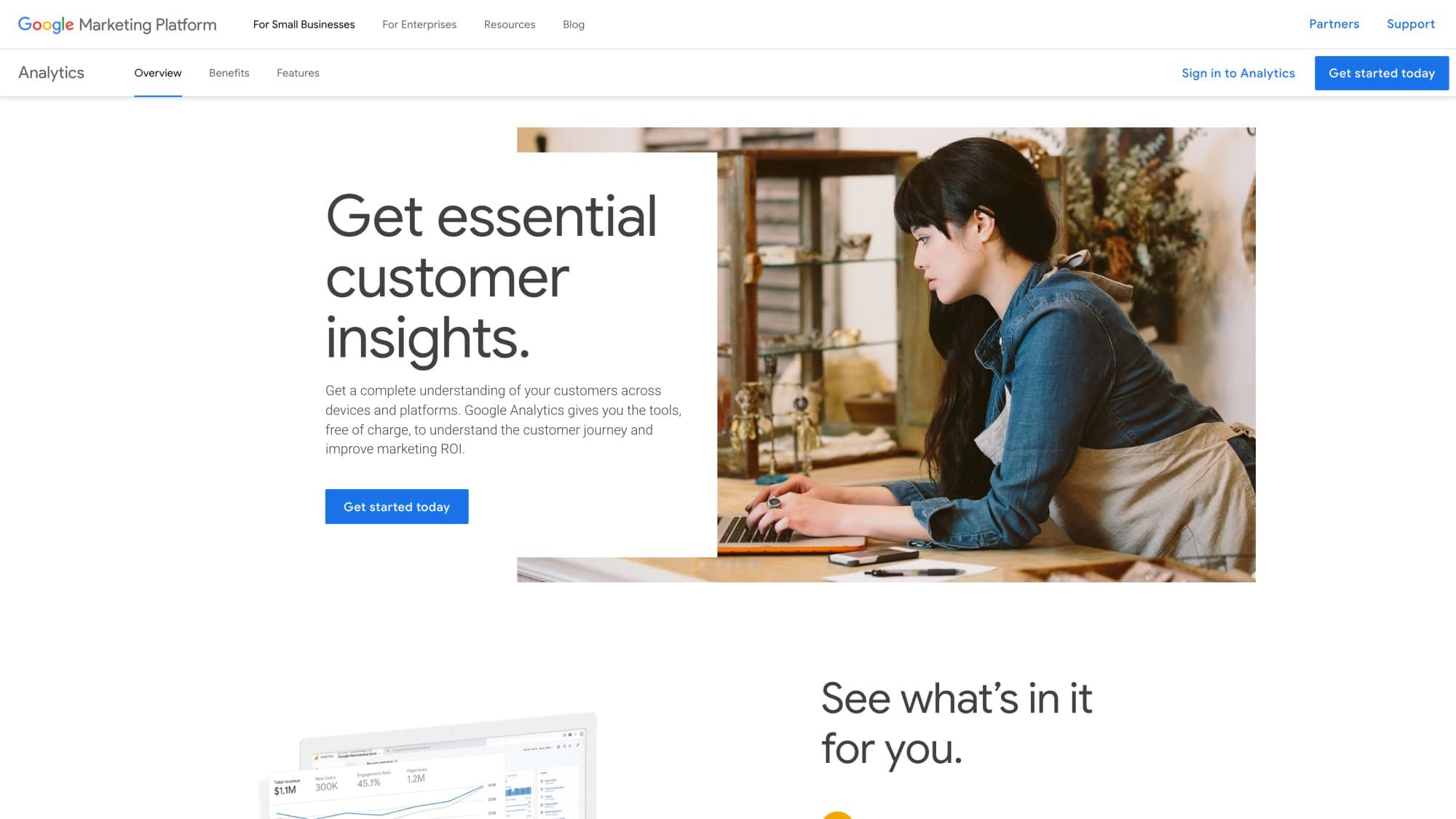
Yes, Google Analytics is free. The standard version, Google Analytics 4 (GA4), costs $0: Google's Analytics product page says it gives you the tools "free of charge", and there is no fee per visitor, per event or per website. The paid edition, Google Analytics 360, has no public price; its suggested starting price has been reported at $50,000 a year for up to 25 million events a month.
For almost every website, that makes the answer "free, permanently". The only things that can put Google on an invoice are optional add-ons around GA4 (BigQuery streaming export, server-side tagging on Google Cloud) or a decision to buy 360. Below: the exact free limits from Google's documentation, what 360 is reported to cost, and a calculator that tells you how far you are from outgrowing the free version.
Key takeaways
- GA4 standard is free with no traffic-based fee and no trial period. Google's own product page says "free of charge".
- Google Analytics 360 is quote-based. Its suggested retail price was reported at $50,000 a year including 25 million events a month, versus $150,000 a year for the retired Universal Analytics 360.
- The free version's real limits are 14 months of exploration data, 1 million events a day in the daily BigQuery export, 30 key events, 100 audiences, and sampling above 10 million events per exploration query.
- The optional costs sit outside GA4: BigQuery streaming export at $0.05 per GB (about 600,000 events), and server-side tagging at about $45 per Cloud Run server per month, with two servers recommended.
- Most sites are nowhere near 360 scale. 25 million events a month is roughly 1.7 million sessions at 15 events per session.
Google Analytics pricing in 2026 at a glance
Every product people mean when they say "Google Analytics", and what each one costs as of October 2026:
| Product | Price | What to know |
|---|---|---|
| GA4 (standard) | $0 | No traffic fee. The limits are in the comparison table below. |
| Google Analytics 360 | Not published (reported from $50,000/year) | Sold through Google sales and certified partners, priced on event volume. |
| Google Tag Manager | $0 | Tag Manager 360 is a separate enterprise product. |
| Google Search Console | $0 | A separate product that links to GA4 for search query data. |
| Data Studio (formerly Looker Studio) | $0 | Dashboards are free. The Pro tier is a paid per-user license with a 30-day trial. |
| BigQuery daily export | $0 inside the free tier | 1 million events a day for standard properties. The BigQuery sandbox holds up to 10 GB. |
| BigQuery streaming export | $0.05 per GB | About 600,000 events per GB, per Google. |
| Server-side tagging (Cloud Run) | ~$45 per server/month | Google recommends at least 2 servers, so about $90/month. |
| Consent banner / CMP | Varies | Not part of GA4. Google says you are responsible for getting consent. |
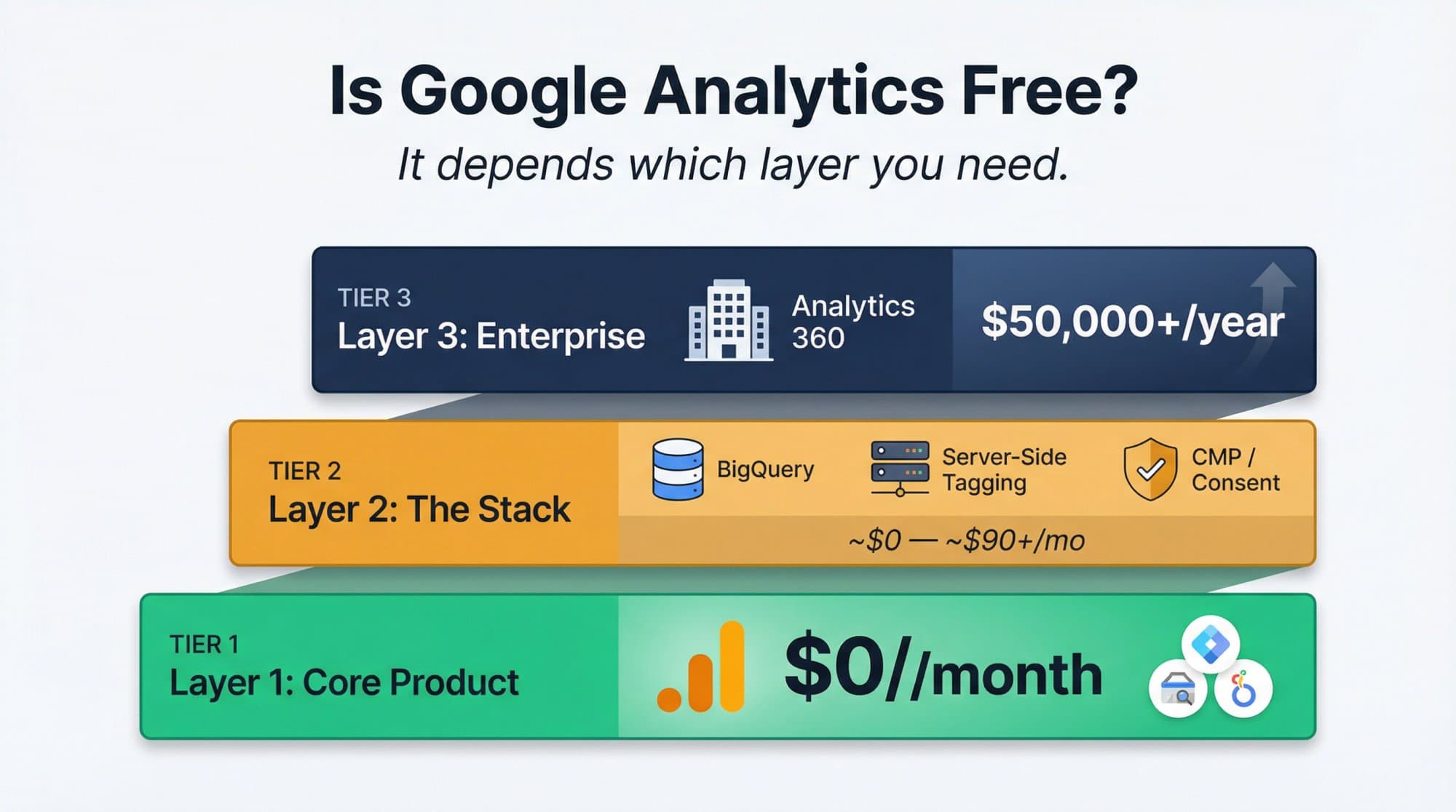
The simplest way to read that table: there are three layers. The core product (GA4) is free. The stack around it (warehouse, server-side collection, consent) can cost money if you choose to add it. The enterprise edition (360) is a separate contract.
Is GA4 free? What you get at $0
GA4 is Google's current analytics product: it records events such as page views, clicks, form submissions and purchases from your website or app, and reports on them. The standard version has no license fee, no paid tier you get pushed into, and no monthly event allowance that triggers a bill.
Google does classify properties by size. A property that processes fewer than 25 billion events over 31 days is "Normal"; above that it becomes "Large" or "XL", and those properties are limited to 2 months of data retention. That threshold is so high that it never affects a typical business site.
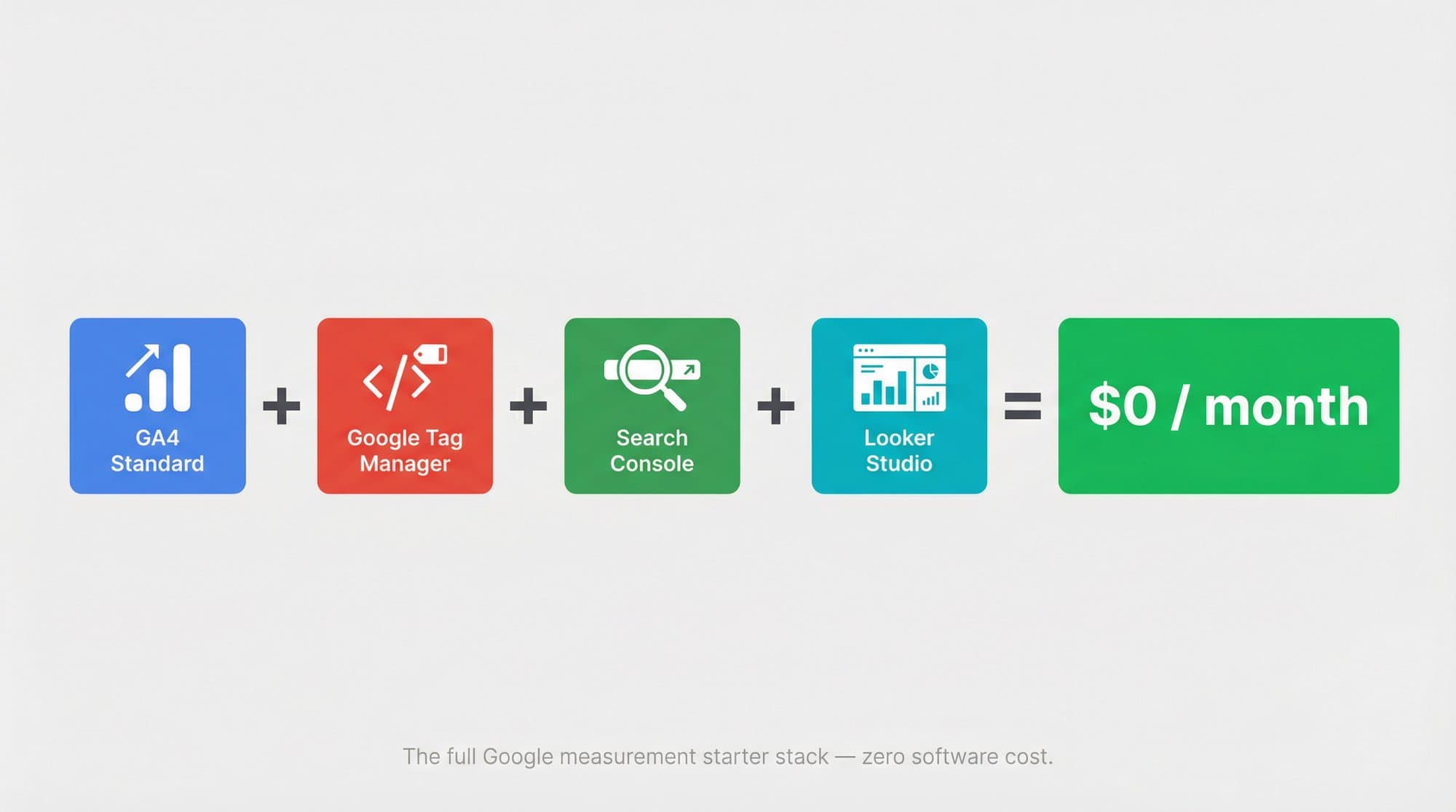
What the free Google stack gives you:
- GA4 for traffic sources, engagement, key events (what GA4 used to call conversions) and ecommerce revenue. Our walkthrough on how to use Google Analytics covers setup and the reports worth opening first.
- Google Tag Manager to deploy and change tracking tags without editing your site's code.
- Search Console for the queries, impressions and positions that bring people from Google. If you're setting it up, pick the right property type with our guide to Search Console domain vs URL prefix properties.
- Data Studio (the product Google called Looker Studio until recently) to turn GA4 and Search Console data into shareable dashboards, which is how most teams build a monthly SEO report without paying for a reporting tool.
How much does Google Analytics 360 cost?
Google doesn't publish a price for Analytics 360. The product page sends you to sales or to a certified partner, and the contract is priced on how many events you collect.
The best public number comes from the partners who sell it. Cardinal Path, a Google Marketing Platform reseller, wrote that Google's suggested retail price for GA4 360 starts at $50,000 a year, which includes 25 million events a month. Above that volume the price rises, but the cost per event falls as volume grows. The old Universal Analytics 360 had a suggested price of $150,000 a year, which is why you still see that figure in older articles.
Treat $50,000 as a reported floor for budgeting, not a quote. Your partner's services, your event volume and your property structure all move the final number.
The 360 cost that surprises people: subproperties and roll-ups
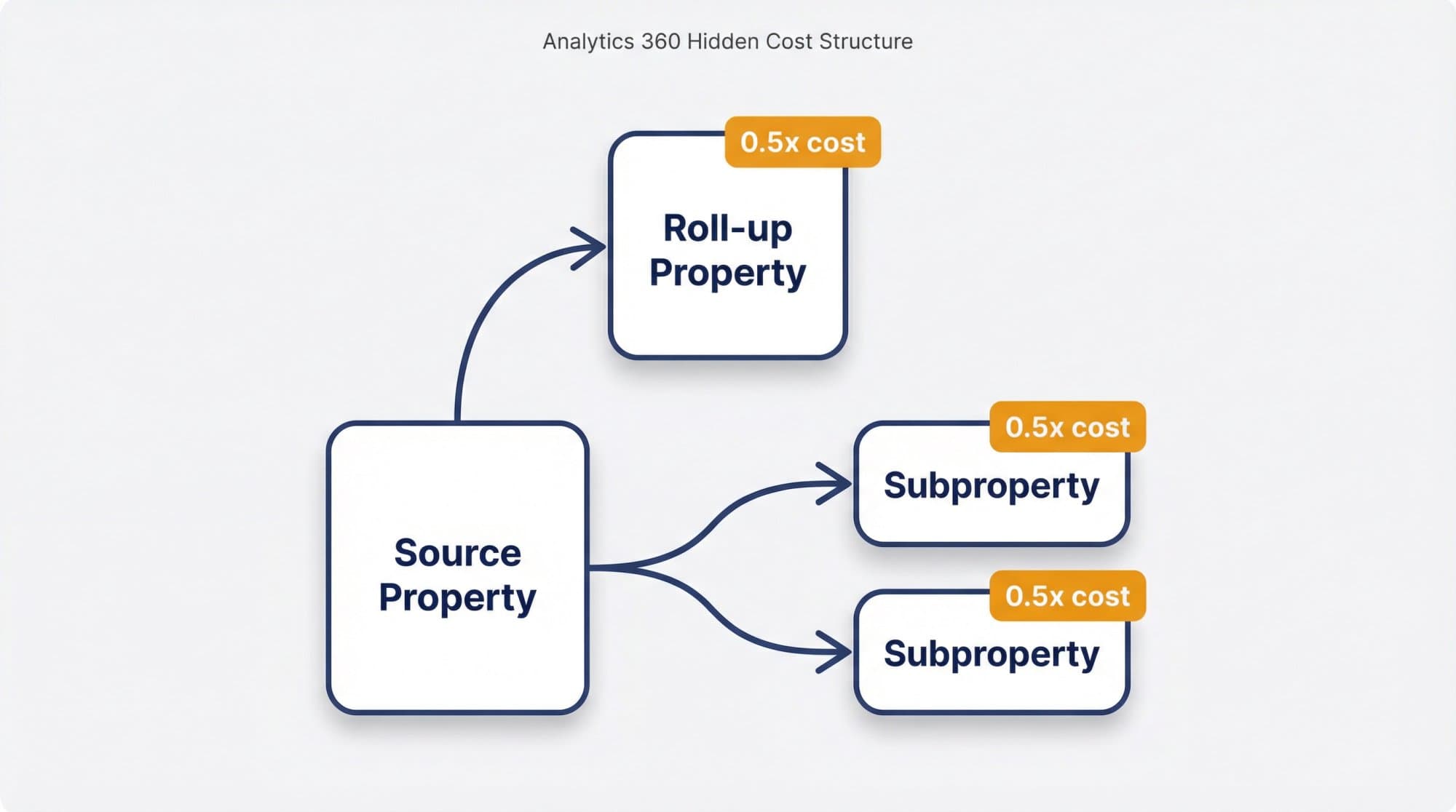
360 lets you split data into subproperties (one per brand or region) and combine sites into roll-up properties. Both are billed on top of the source property:
- Events in a subproperty cost one half the cost of the same events in the source property. Events you filter out of the subproperty aren't charged.
- Events in a roll-up property cost one half the cost of the events in each source property, and roll-ups exist only in 360.
So a company with one source property, three regional subproperties that each see most of the traffic, and a global roll-up can pay for the same events several times at half rate. Ask your partner to model the full property tree, not only the source property.
How close are you to 360 scale?
360 pricing and the free BigQuery export limit are both counted in events, not visitors. One session usually fires several events (session_start, page_view, scroll, user_engagement, clicks), so 200,000 sessions can easily mean a few million events. Find your own ratio in GA4 under Reports → Engagement → Events: divide the total event count by sessions for the same period.
Interactive calculator
Will you outgrow free GA4?
Events per month
2.4M
- Events per day
- 80K
- Share of the free daily BigQuery export (1M events/day)
- 8%
- Share of the reported 360 base allowance (25M events/month)
- 9.6%
- BigQuery streaming export cost per month
- $0.20
GA4 vs GA4 360: the limits that actually differ
All limits below come from Google's Analytics 360 comparison page. The ones that push companies to upgrade are retention, sampling, the BigQuery daily export and the property structure. The rest are configuration ceilings most sites never touch.
GA4 standard vs GA4 360 (October 2026)
| Limit | GA4 standard (free) | GA4 360 |
|---|---|---|
| Price | $0 | Quote-based; reported from $50,000/year |
| Data retention (explorations) | 2 or 14 months | Up to 50 months |
| Exploration sampling threshold | 10M events per query | 1B events per query |
| Unsampled explorations | No | Yes (20K tokens a day) |
| BigQuery daily export | 1M events a day | Up to 20B events a day |
| BigQuery streaming export | Unlimited (billed per GB) | Unlimited |
| Fresh daily BigQuery export | No | Yes |
| Key events | 30 | 50 |
| Audiences | 100 | 400 |
| Event-scoped custom dimensions | 50 | 125 |
| Event-scoped custom metrics | 50 | 125 |
| Item-scoped custom dimensions | 10 | 25 |
| Event parameters per event | 25 | 100 |
| User properties | 25 | 100 |
| Calculated metrics | 5 | 50 |
| Data API quota | 200,000 tokens a day | 2M tokens a day |
| Subproperties and roll-up properties | No | Yes (extra events billed at half rate) |
| Service level agreement | No | Yes |
Click a column header to sort.
Two of these trip up free users more than the rest:
- Retention only affects explorations. Standard reports keep your aggregated history; the 2- or 14-month setting applies to explorations and funnel reports. Many properties still sit on the 2-month option, so change it to 14 months in Admin → Data collection and modification → Data retention (older menus: Data Settings → Data Retention). The change isn't retroactive.
- Sampling only kicks in on big explorations. Standard reports aren't sampled; an exploration that scans more than 10 million events is. If your analyst works around sampling every week, that's a genuine 360 argument.
Where "free" Google Analytics starts costing money
BigQuery export
BigQuery export sends your raw, event-level GA4 data to Google's data warehouse, where you can query it with SQL, join it with CRM data and keep it as long as you like.
- Standard properties can send up to 1 million events a day in the daily (batch) export. If you go over, Google pauses the daily export and the missed days are not reprocessed.
- Exporting into the free BigQuery sandbox costs nothing, but the sandbox is capped at 10 GB, and Google says you need a valid payment method on file in Cloud for exports to proceed.
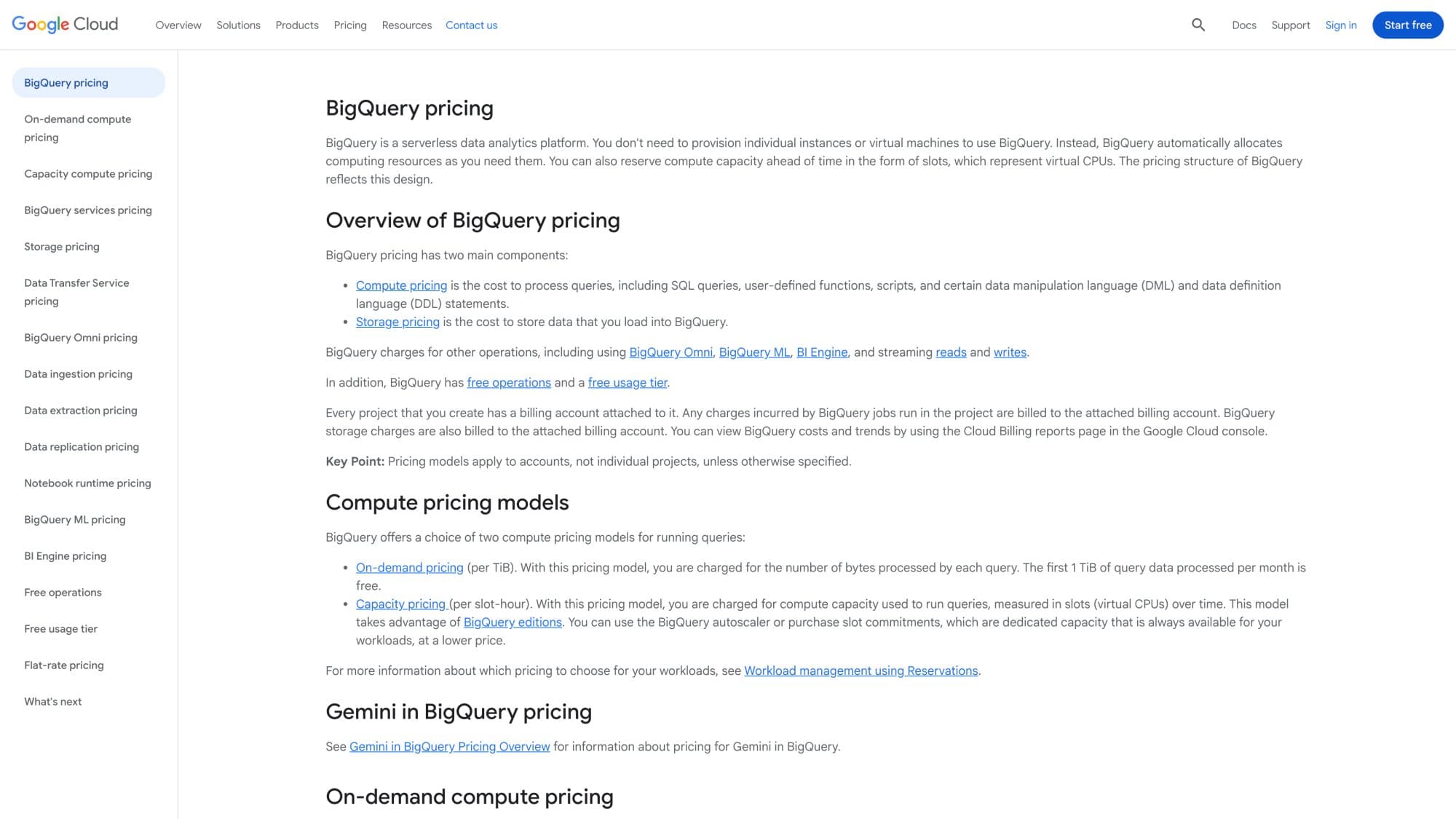
- Past the free tier, BigQuery bills on use: on-demand queries cost $6.25 per TiB scanned after the first free TiB each month, and active storage in Google's us-central1 example costs about $23.55 per TiB per month. Prices vary by region; check BigQuery pricing for yours.
Streaming export
Streaming export sends events to BigQuery continuously instead of once a day, and it has no event limit on standard properties. It costs $0.05 per GB, and 1 GB is roughly 600,000 events.
The math: a site firing 6 million events a day streams about 10 GB a day, which is about $0.50 a day or $15 a month before storage and queries. Not much, but it means "free GA4" becomes a small cloud bill the moment you need near-real-time data in a warehouse.
Server-side tagging
Server-side tagging moves tag processing from the visitor's browser to a server you run. It helps with first-party data control, ad blockers and page speed, and it's entirely optional.
Google's Cloud Run setup guide puts each server at about $45 a month and recommends a minimum of 2 instances to reduce the risk of data loss during an outage. Budget roughly $90 a month as the floor, rising with traffic.
Consent management
GA4 doesn't include a consent banner. Google's policy is blunt: you are responsible for obtaining users' consent, using a banner, a custom solution or a consent management platform (CMP), and consent mode passes that choice to Google's tags. CMPs range from free plans for small sites to paid subscriptions priced by domain and traffic, so this line depends entirely on the vendor you pick and the countries your visitors come from.
The cost nobody invoices: setup time
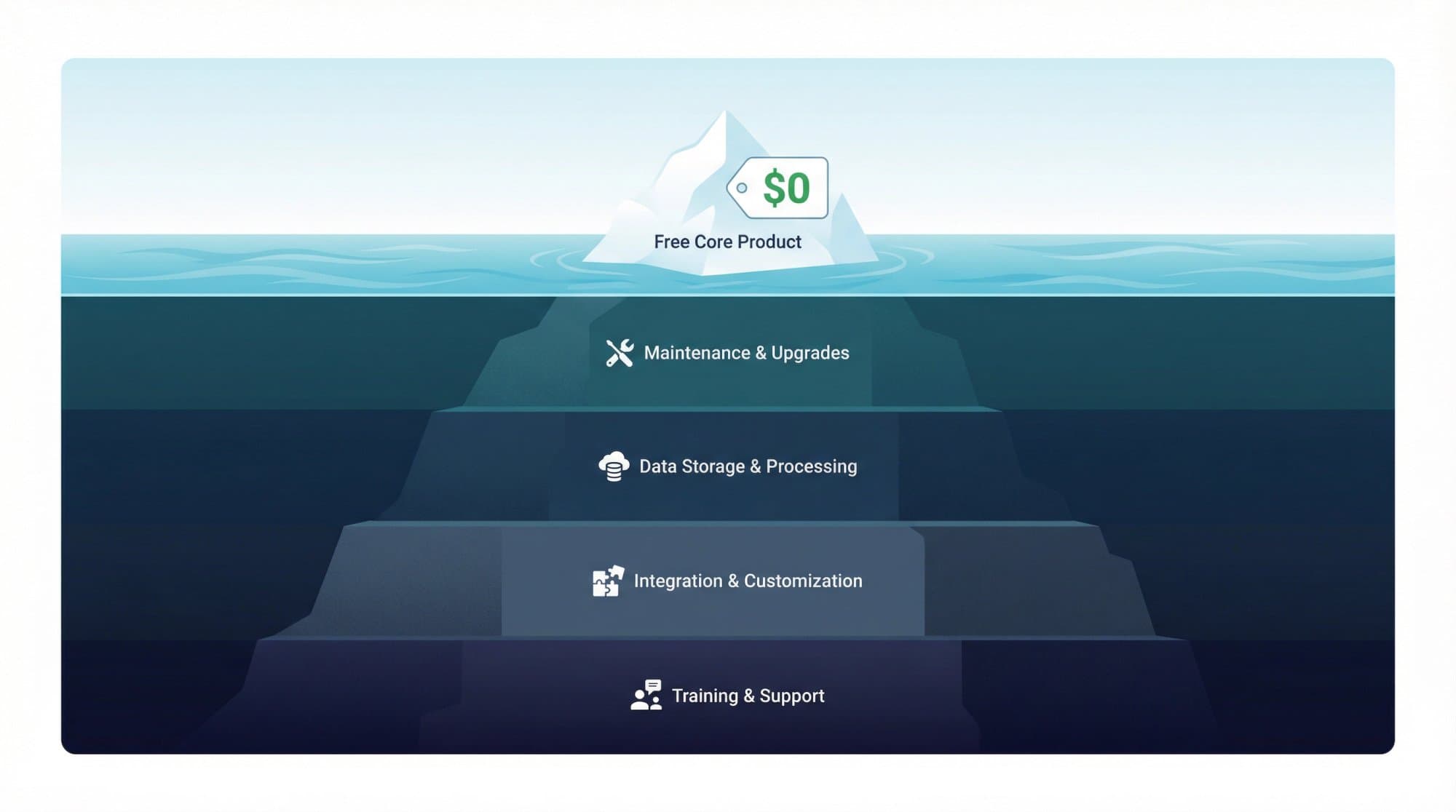
The software is free; a reliable implementation isn't. Someone has to decide which events matter, mark key events, filter internal traffic, fix self-referrals from payment providers, test ecommerce tags and keep it all working when the site changes. For a small business that is a few days of work; for a large site with ecommerce and multiple domains it's an ongoing job. That time, not a Google invoice, is the real cost of "free" analytics.
When should you upgrade to Analytics 360?
Standard GA4 is enough for nearly every small and midsize business. 360 starts to make sense when one of these is a weekly problem, not a hypothetical one:
- Your property regularly exceeds 1 million events a day and you need the daily BigQuery export (not streaming) to keep running.
- Analysts hit sampling in explorations and need unsampled results.
- You need more than 14 months of exploration history for modeling or compliance.
- You manage several brands or regions and need subproperties or roll-up properties with governance.
- The business needs a contractual SLA and enterprise support.
If none of those describe your week, 360 is a cost without a return. Spend the money on what GA4 can't do: content, rankings and links.
Google Analytics budget scenarios for 2026
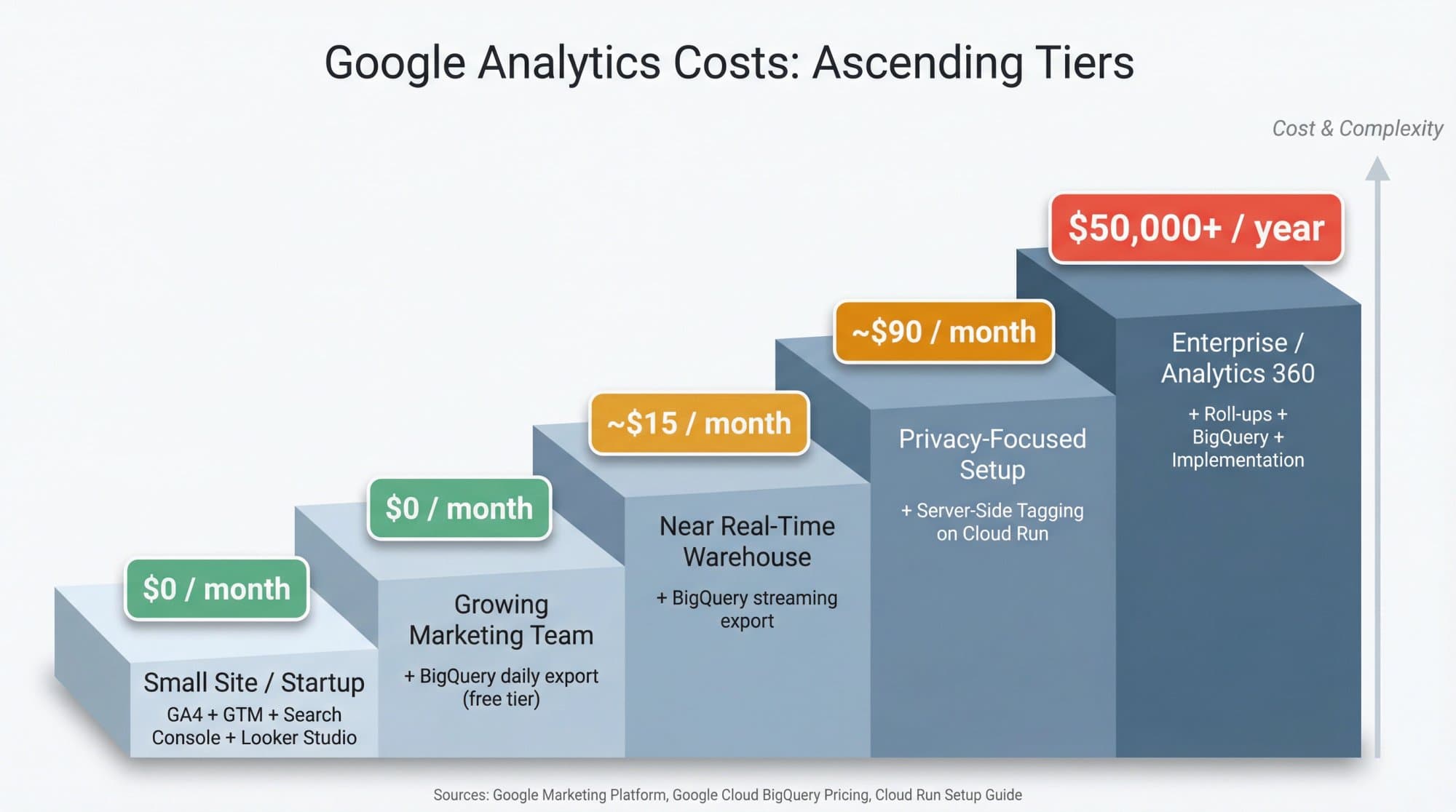
| Scenario | Stack | Approximate cost |
|---|---|---|
| Small site or early-stage startup | GA4 + Tag Manager + Search Console + Data Studio | $0/month |
| Growing team that wants raw data | Same stack + BigQuery daily export in the sandbox | $0/month while under 1M events/day and 10 GB |
| Team that needs near-real-time warehouse data | Same stack + streaming export | ~$15/month at 6M events/day, before storage and queries |
| Privacy-focused setup | Add server-side tagging on Cloud Run | ~$90/month baseline |
| Enterprise with governance needs | GA4 360 + BigQuery + subproperties/roll-ups + partner services | $50,000+/year (reported) |
None of these lines include people: implementation, QA and the analyst who turns reports into decisions.
What to do with the free data
GA4 tells you which pages earn visits and which visits turn into leads or sales. It doesn't tell you which keywords you could rank for next, and it doesn't write the page. Pair it with Search Console to track your Google rankings, run a content performance analysis every quarter, and look at referral traffic to see which backlinks actually send visitors.
If the conclusion is "we need more pages that rank", that's the job Outrank automates: it picks keywords your site can realistically win (the median keyword it targets has a difficulty of 14), writes a long article with images and internal links every day, and publishes it to your CMS, for $99 a month. GA4 stays free and becomes the scoreboard.
FAQ
Is Google Analytics free?
Yes. Google Analytics 4, the standard version, is free for any website or app, with no trial period and no fee based on traffic. Google's product page describes it as "free of charge". Only the enterprise edition, Google Analytics 360, is paid.
Is GA4 free?
Yes. GA4 is the free standard version of Google Analytics and has been the only version since Universal Analytics was shut down in July 2024. Free GA4 includes 14 months of exploration data retention, 30 key events, 100 audiences and a BigQuery daily export of up to 1 million events a day.
Does Google Analytics cost money for high-traffic sites?
No, free GA4 doesn't bill by traffic. Google only restricts properties above 25 billion events in 31 days, which it classifies as "Large" and limits to 2 months of data retention. You only pay if you add optional services such as BigQuery streaming export or server-side tagging, or buy Analytics 360.
How much does Google Analytics 360 cost?
Google doesn't publish the price. Google Marketing Platform reseller Cardinal Path reported a suggested retail price starting at $50,000 a year, including 25 million events a month, with the price rising for higher volumes. Subproperties and roll-up properties add extra event charges at half the source rate.
Why do some sites say Google Analytics 360 costs $150,000?
That was the suggested price of Universal Analytics 360, the previous generation. GA4 360 moved to usage-based pricing with a reported starting point of $50,000 a year. Articles quoting $150,000 for GA4 are usually mixing up the two.
Is Google Tag Manager free?
Yes. The standard version of Google Tag Manager is free and works with GA4 and most other tags. Tag Manager 360 is a separate enterprise product that most sites never need.
Is Looker Studio free?
Yes. Looker Studio, which Google now calls Data Studio again, is free for building and sharing reports from GA4, Search Console and other sources. The Pro tier is a paid per-user license for teams that need extra administration features, with a 30-day free trial.
Can I use Google Analytics free on multiple websites?
Yes. You can create several GA4 properties under one account at no charge, one per website or app. What you can't get on the free version is a roll-up property that combines them into one view; roll-ups are a 360 feature.
What happens if I exceed GA4's free limits?
GA4 itself keeps collecting and reporting. If you exceed 1 million events a day in the daily BigQuery export, Google pauses that export and doesn't reprocess the missed days, so you would switch to the paid streaming export or move to 360. Explorations that scan more than 10 million events are sampled.