To monetize a WordPress blog, add an ad network (Google AdSense first, then Journey by Mediavine, Raptive or Mediavine as traffic grows), manage affiliate links with a plugin like Pretty Links, sell products with WooCommerce or Easy Digital Downloads, and lock premium posts behind a membership plugin. On self-hosted WordPress.org every method is open to you. On WordPress.com, the free plan shows WordPress.com's own ads and can't install plugins, WordAds needs the Premium plan, and built-in payments carry a 2% to 10% fee on every plan below Commerce.
This guide covers what's specific to WordPress: the WordPress.com plan rules, the plugin for each revenue stream (with install counts from WordPress.org), and the order to set them up.
Key takeaways
- Self-hosted WordPress.org has no monetization restrictions. Any ad network, affiliate program, store or membership plugin works.
- WordPress.com in October 2026: plugins on every paid plan, WordAds from the Premium plan with a custom domain, and a 10%/8%/4%/2%/0% fee on built-in payments for Free/Personal/Premium/Business/Commerce.
- WordPress runs 39.6% of all websites (W3Techs, October 2026), so every major ad network and affiliate tool ships a WordPress plugin or snippet.
- A lean stack covers everything. An SEO plugin, a caching plugin, an ad inserter, an affiliate link manager, a store or download plugin, and a newsletter plugin.
- Ad networks are gated by traffic or revenue. AdSense has no minimum, Journey by Mediavine needs 1,000 Tier 1 sessions in 30 days, Raptive needs 25,000 monthly pageviews.
Can you monetize a WordPress blog?
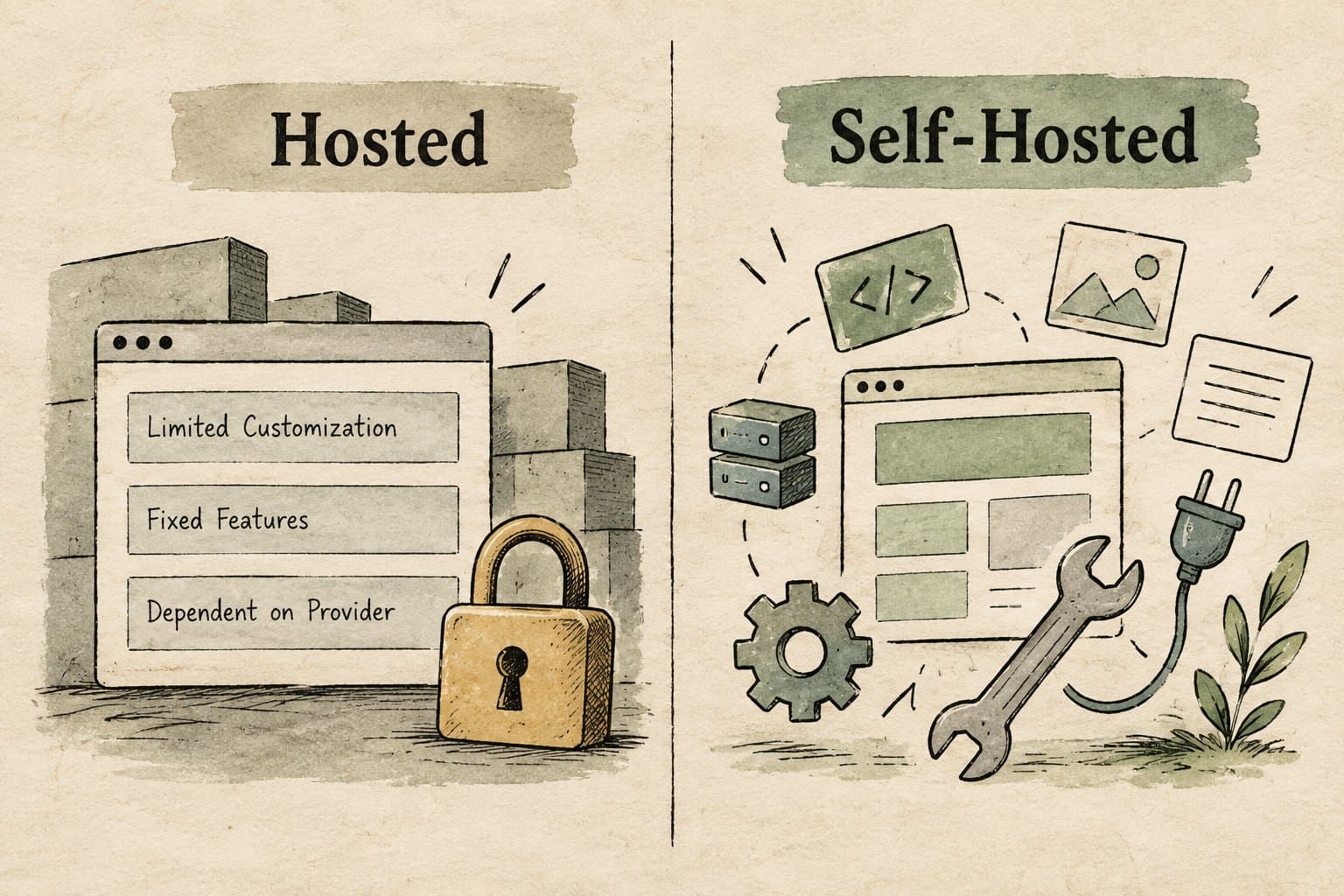
Yes, and the rules depend on which WordPress you use. WordPress.org is the free software you install on your own hosting ("self-hosted WordPress"). WordPress.com is Automattic's hosted service, where your plan decides what you can install and sell.
| WordPress.com plan | Install plugins | Visitors see WordPress.com ads | WordAds (earn from ads) | Fee on built-in payments |
|---|---|---|---|---|
| Free | No | Yes | No | 10% |
| Personal | Yes | No | No | 8% |
| Premium | Yes | No | Yes, with a custom domain | 4% |
| Business | Yes | No | Yes | 2% |
| Commerce | Yes | No | Yes | 0% |
Sources: the WordPress.com pricing page and its WordAds requirements, October 2026. Payment fees come on top of standard card processing.
So the answer to "can I monetize a WordPress blog" is: on self-hosted WordPress, yes, with anything. On WordPress.com, affiliate links and sponsored posts are allowed as long as the site's main purpose is original content, plugins start on the Personal plan, and ads start on Premium. If you're on the free WordPress.com plan, the cheapest fix is upgrading or moving to self-hosting before you build your revenue setup. Our WordPress blog setup guide covers the self-hosted route.
The WordPress monetization plugin stack
You need one plugin per job, not twenty. Install counts below are WordPress.org's "active installations" on October 19, 2026, which it rounds down.
WordPress plugins for each revenue stream
| Yoast SEO | SEO titles, sitemaps, schema | 10,000,000+ | ✓ |
| WooCommerce | Store for physical and digital products | 7,000,000+ | ✓ |
| LiteSpeed Cache | Page caching and speed | 7,000,000+ | ✓ |
| Site Kit by Google | AdSense, Search Console and Analytics in WordPress | 5,000,000+ | ✓ |
| Rank Math SEO | SEO titles, sitemaps, schema | 4,000,000+ | ✓ |
| MailPoet | Newsletter signup and email sending | 500,000+ | ✓ |
| Ad Inserter | Ad placement without editing theme files | 300,000+ | ✓ |
| PrettyLinks | Affiliate link cloaking and click tracking | 200,000+ | ✓ |
| Advanced Ads | Ad placement and rotation | 100,000+ | ✓ |
| SureCart | Checkout for downloads, subscriptions and products | 80,000+ | ✓ |
| Easy Digital Downloads | Selling files, ebooks and software | 40,000+ | ✓ |
| ThirstyAffiliates | Affiliate link management | 30,000+ | ✓ |
| Kadence Memberships (formerly Restrict Content) | Members-only content | 9,000+ | ✓ |
| Paid Memberships Pro | Membership levels and recurring billing | — | ✓ |
| MemberPress | Memberships and courses | — | ✕ |
Click a column header to sort.
Two notes on the table. Paid Memberships Pro left the WordPress.org directory in October 2024 at its author's request, so there's no install count; its core plugin is still free from its own site, with paid plans from $49 a month. MemberPress has no free version.
Display ads on WordPress
Ads are the most common first step, and WordPress makes the technical side easy.
- 1
Apply to Google AdSense
There's no traffic minimum. Google asks for original content that follows its policies and an account holder aged 18 or over (eligibility). - 2
Add the code
Use Auto ads (Google picks placements) or place units yourself with Ad Inserter or Advanced Ads, so ads survive theme changes. Site Kit by Google connects your AdSense account to the WordPress dashboard. - 3
Add an ads.txt file
AdSense flags missing ads.txt as earnings at risk. Most ad plugins can create the file at your domain root for you. - 4
Premium networks place their own ads through their script or plugin, so you'll usually remove manual AdSense units when you switch. Our Mediavine requirements guide explains how the $5,000 revenue bar works. Our list of AdSense alternatives for WordPress compares the options by traffic tier.
Keep ads from wrecking your page experience. Google's Core Web Vitals targets are LCP within 2.5 seconds, INP of 200 milliseconds or less and CLS of 0.1 or less, and ads are a classic cause of layout shift. Reserve a fixed-height slot for each ad unit so content doesn't jump when the ad loads, and keep a caching plugin and a light theme so the page itself is fast.
Affiliate links on WordPress
Affiliate income needs no traffic threshold, only posts that catch readers deciding what to buy. Three WordPress-specific habits make it manageable:
- Use a link manager. PrettyLinks or ThirstyAffiliates turn long tracking URLs into short ones like
/go/product, count clicks, and let you change a destination once when a program changes, instead of editing every post. - Set
rel="sponsored"by default. Both plugins can add it to every affiliate link, which is what Google asks for paid links. - Save a disclosure as a reusable pattern. The FTC wants a clear disclosure near the links, such as "I get commissions for purchases made through links in this post". If you join Amazon Associates, its agreement also requires the line "As an Amazon Associate I earn from qualifying purchases."
Then point internal links from your informational posts to your best buying-guide posts. A post that already ranks can send readers to the page that earns.
Selling digital products and memberships

Selling your own product is where WordPress pulls ahead of hosted platforms: the store lives on the same domain as your posts and you choose the payment processor.
- Easy Digital Downloads is the lighter choice for files: ebooks, templates, presets, software with license keys.
- WooCommerce is the full store. Pick it if you sell physical and digital products together or plan a real catalog.
- SureCart is a hosted checkout inside WordPress that handles one-time products and subscriptions.
What it costs per sale: on a $49 template, Gumroad's direct-sale fee is 10% + $0.50, or $5.40. Through your own checkout with Stripe, a US card costs the standard 2.9% + 30¢, about $1.72. The trade-off is tax: Gumroad now handles sales tax and VAT for you, while on your own store that's your job (or your tax plugin's).
For memberships, WordPress can gate content by post, category or custom post type. Start with the free core of Paid Memberships Pro or Kadence Memberships to test whether readers will pay, and move to MemberPress if you want courses and more polish.
Build the email list in WordPress
Every stream above earns more with a list you own. MailPoet (500,000+ installs) adds signup forms and sends newsletters from inside WordPress; any email tool with an embed form works too. Put a form at the end of every post and on the pages that rank best, and offer one specific reason to join.
The order to set it up
- Day one: SEO plugin, caching plugin, newsletter form, and one or two affiliate programs with a link manager.
- First traffic: AdSense with Auto ads or an ad plugin, plus ads.txt.
- 1,000 Tier 1 sessions a month: apply to Journey by Mediavine.
- Readers asking for help: a first digital product through Easy Digital Downloads or WooCommerce.
- 25,000 pageviews or $5,000 a year in ad revenue: apply to Raptive or Mediavine.
For the income side of each stream (what each pays per 1,000 pageviews and how long it takes), see how to make money with a blog; for a platform-by-platform comparison, our guide to website monetization platforms; and to estimate what your traffic is worth, the calculator in what is website monetization.
The bottleneck is posts, not plugins
Plugins take an afternoon. Traffic takes hundreds of posts. In Productive Blogging's 2025 income survey, blogs with 100 to 299 posts averaged $548 a month and blogs with 300 to 499 posts averaged $5,086.
Outrank publishes to WordPress through its plugin, the REST API or WordPress.com: it picks keywords your blog can rank for, writes an SEO article a day with images and internal links, and posts it as a draft or live. In the 90 days to October 19, 2026, 1,195 WordPress sites published articles this way. See the integrations page for setup. If you'd rather not run WordPress at all, Outrank Blogs hosts a blog on your own domain, free up to 10,000 visits a month.
FAQ
Can I monetize my WordPress blog?
Yes. On self-hosted WordPress.org you can use any ad network, affiliate program, store or membership plugin. On WordPress.com, the Personal plan and up let you install plugins, and WordAds requires the Premium plan or higher with a custom domain.
Can you monetize a free WordPress.com blog?
Only in a limited way. Free WordPress.com sites can't install plugins, show WordPress.com's own ads to visitors, and can't join WordAds; built-in payment features carry a 10% fee. WordPress.com does allow affiliate links when the blog's main purpose is original content, but most bloggers upgrade or move to self-hosted WordPress before they monetize seriously.
How do I monetize a self-hosted WordPress blog?
Apply to Google AdSense and place ads with Auto ads or a plugin like Ad Inserter, add affiliate links through PrettyLinks or ThirstyAffiliates, collect emails with MailPoet, and sell products with Easy Digital Downloads or WooCommerce. Move to Journey by Mediavine, Raptive or Mediavine once your traffic qualifies.
What are the criteria for monetization on WordPress?
It depends on the program. AdSense needs original content that follows its policies and an account holder aged 18+. WordAds needs a public WordPress.com site on the Premium plan or higher with a custom primary domain and a PayPal account. Journey by Mediavine needs 1,000 Tier 1 sessions in 30 days, and Raptive needs 25,000 monthly pageviews.
Which plugins do I need to monetize a WordPress blog?
A lean stack is an SEO plugin (Yoast or Rank Math), a caching plugin, an ad placement plugin (Ad Inserter or Advanced Ads), an affiliate link manager (PrettyLinks or ThirstyAffiliates), a newsletter plugin (MailPoet), and Easy Digital Downloads or WooCommerce once you sell something. Add a membership plugin only when you have premium content to gate.