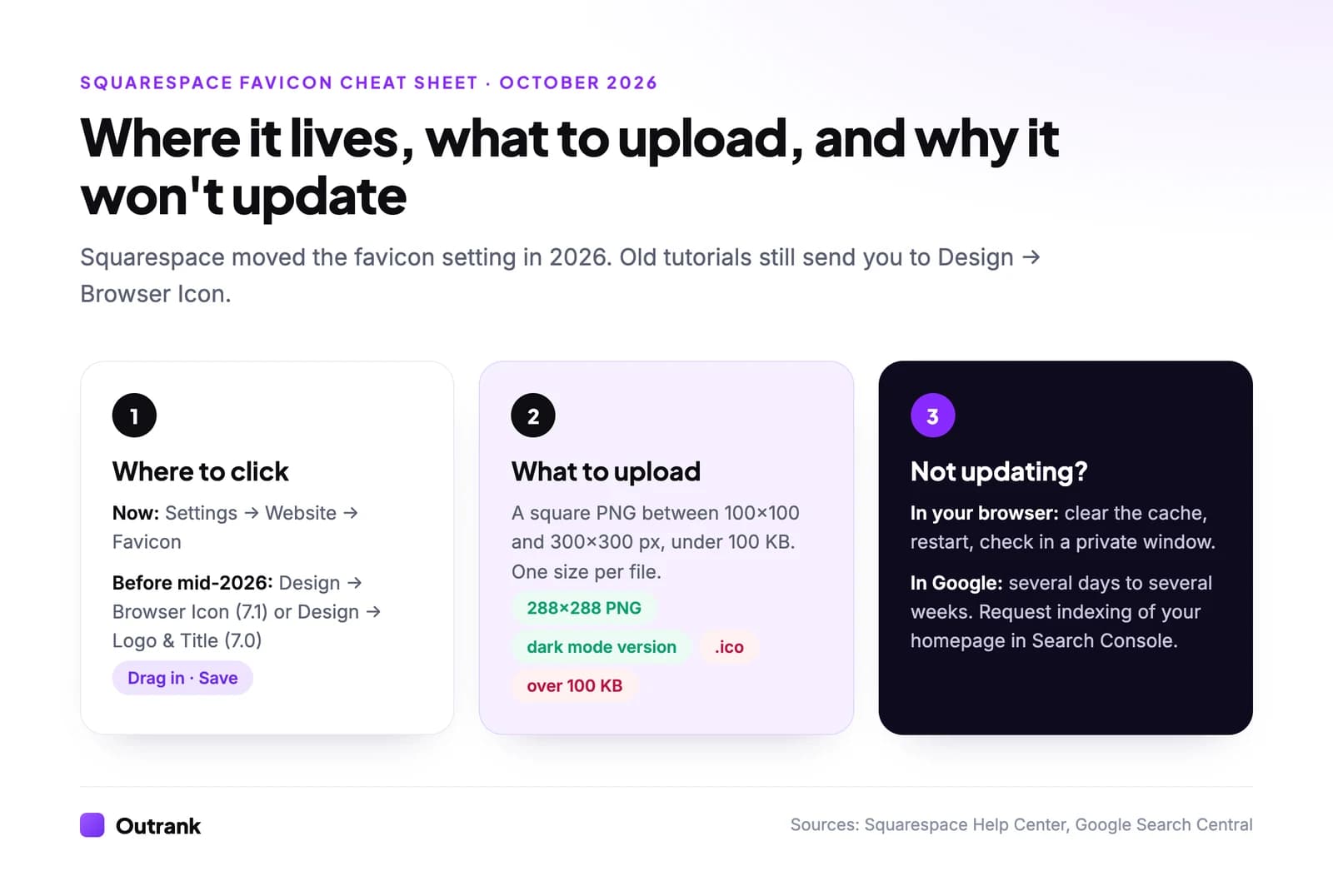
To change your favicon on Squarespace, open Settings → Website → Favicon, drag in a square PNG between 100×100 and 300×300 pixels (under 100 KB), optionally add a dark mode version, and click Save. If you still see the old icon, clear your browser cache and restart the browser: browsers hold on to favicons longer than any other file. Google Search is slower again and can take several days to several weeks to show the new icon.
Squarespace moved this setting in 2026, which is why so many tutorials (and videos) now point to a menu that no longer has it. Below: the current path and the old ones, the exact file rules, a fix-it checklist for "favicon not updating", and how to get the new icon into Google.
Key takeaways
- The favicon now lives in Settings → Website → Favicon. Until mid-2026 it was Design → Browser Icon on 7.1 sites and Design → Logo & Title on 7.0 sites.
- Upload a square PNG between 100×100 and 300×300 px, no larger than 100 KB. Squarespace doesn't accept .ico files or multi-size favicon files.
- A 288×288 PNG is the safest size: inside Squarespace's range, a multiple of 48 px, and well above Google's 48×48 px recommendation.
- If the old icon sticks, it is almost always your browser's cache. Check the site in a private window before you re-upload anything.
- Google can take several days to several weeks to pick up a new favicon. Requesting indexing of your homepage in Search Console can speed it up.
How to change the favicon on Squarespace (2026 steps)
A favicon (Squarespace also calls it the browser icon) is the small square image that sits next to your page title in browser tabs, bookmarks, history and some search results. Every Squarespace site starts with Squarespace's default cube icon until you replace it.
- 1
Open the Favicon panel
In your site's admin, go to Settings → Website → Favicon. If your menu looks different, use the Favicon panel link in Squarespace's favicon help article, which opens the right screen for any of your sites. - 2
Upload your image
Drag the file into the image uploader, or click the uploader to pick it from your computer. Use a square PNG between 100×100 and 300×300 px that is under 100 KB. - 3
Add a dark mode version (optional)
Below the main icon you can add an alternate favicon that shows when visitors browse in dark mode. Squarespace only allows this after you've added the default favicon. - 4
Save and check
Click Save. Then open your site in a private or incognito window: if the new icon shows there, the change worked and any old icon you still see is your browser's cache.
Where the setting used to be (and why old tutorials fail)
If you followed a guide and couldn't find the browser icon, the guide is out of date. Squarespace's help article (last updated August 5, 2026) now sends you to the Favicon panel under Settings. Archived copies of the same article from June 2026 still pointed to the old location in the Design menu.
| Squarespace version | Old path (before mid-2026) | Current path |
|---|---|---|
| 7.1 | Design → Browser Icon | Settings → Website → Favicon |
| 7.0 | Design → Logo & Title → Browser Icon (Favicon) | Settings → Website → Favicon, or the Favicon panel link in Squarespace's help article |
Not sure which version you're on? Squarespace explains how to find your site's version. New sites have been built on 7.1 for years, so if you started recently, you're on 7.1.
Squarespace favicon size and format
Squarespace displays the favicon at 16×16 px in browser tabs, but it asks you to upload something bigger so it stays sharp on high-resolution screens. These are the rules from Squarespace's favicon guide and Google's favicon guidelines for Search, as of October 2026:
| Rule | Squarespace | Google Search |
|---|---|---|
| Shape | Square | Square (1:1), at least 8×8 px |
| Recommended size | 100×100 to 300×300 px | Larger than 48×48 px |
| File format | PNG recommended; .ico can't be uploaded | Any common format (PNG, ICO, GIF, JPEG and others) |
| File size | 100 KB maximum | No stated limit |
| Versions per file | One image (no multi-size files) | One favicon per hostname |
Our recommendation: a 288×288 px PNG. It sits inside Squarespace's range, it's a multiple of 48 px (Squarespace's article still repeats Google's older "multiple of 48" advice, so this satisfies both versions), and a simple icon at that size compresses to a few kilobytes. If your favicon file is over 100 KB, it's carrying far more detail than a 16-pixel icon can show; run it through an image compressor (our guide to optimizing images for the web covers the free ones).
Two things the old version of this article got wrong, and many others still do: Squarespace does not accept .ico files, and it does not accept a multi-size favicon file. Export one square PNG.
How to design a favicon that reads at 16 pixels
At 16×16 px you have 256 pixels to work with. Logos rarely survive that unchanged.
- Use one mark, not your full logo. A single letter, a monogram or the symbol from your logo. Drop the wordmark and the tagline.
- Use thick shapes and strong contrast. Thin lines and pale colors vanish. Zoom your browser out and look at the tab: if you can't tell what it is, simplify again.
- Fill most of the square. Leave a little padding, but a small mark floating in a big empty canvas becomes a dot.
- Test on light and dark tabs. A black icon disappears on a dark browser theme. That's what the dark mode slot is for: upload a light version of the same mark.
- Expect Safari to frame it. Squarespace notes that Safari may add a border or background color behind your favicon for contrast, and that favicons usually don't show on mobile browsers at all.
Your favicon should match the rest of your brand assets. Same colors, same symbol, same feel as your logo and social profiles; our guide to brand consistency explains why that matters beyond the browser tab.
Squarespace favicon not working or not updating? Fix it in this order
When the old icon (or the default cube) won't go away, the problem is almost never Squarespace. Browsers store favicons in their own long-lived cache, separate from the page, and a normal refresh often doesn't touch it. Work through these checks in order; the first two solve most cases.
Interactive checklist
Squarespace favicon not updating
0/11
Rule out your browser
0/4Rule out the upload
0/4Rule out Google
0/3Your progress is saved in this browser, so you can come back to it later.
On phones, don't judge by the browser tab: Squarespace says favicons usually don't display in mobile browsers. Check on desktop.
How long does it take for a favicon to update on Squarespace?
There are three separate clocks:
- Your site: immediately. As soon as you click Save, Squarespace serves the new icon. A private window proves it.
- Your browser: until its favicon cache expires, which can be days. Clearing the cache and restarting the browser makes it instant.
- Google Search: Google says crawling a new favicon "can take anywhere from several days to several weeks". Nothing on your side can force it, but you can nudge it.
How to get your new favicon into Google search results
Google shows a favicon next to your site name in mobile and desktop results. According to Google's favicon documentation, it picks the icon from your homepage and needs:
- A square image larger than 48×48 px. The 288×288 PNG above qualifies.
- Crawlable files. Googlebot must be able to crawl your homepage and Googlebot-Image must be able to crawl the favicon. A public Squarespace site already allows this; a password-protected or private site can't be crawled at all.
- A stable URL. Don't swap the favicon every week.
- One favicon per hostname.
www.yoursite.comandshop.yoursite.comcan have different favicons;yoursite.com/shopcan't.
To speed things up, open Google Search Console, paste your homepage URL into the URL Inspection bar at the top, and click Request indexing. If you haven't set up Search Console for your Squarespace site yet, our guide to Search Console's Domain vs URL-prefix properties explains which one to pick. Even when every guideline is met, Google says a favicon "isn't guaranteed" to appear, and it shows a default icon when it can't use yours.
A favicon is one small part of a polished site. If you're auditing the rest, our technical SEO audit checklist covers the bigger items, Outrank's free SEO audit tool checks a page in under a minute, and our Squarespace vs WordPress comparison is worth a read if you're starting to feel Squarespace's limits.
FAQ
What size should a Squarespace favicon be?
Upload a square PNG between 100×100 and 300×300 pixels that is under 100 KB. Squarespace shrinks it to 16×16 px in browser tabs. A 288×288 px PNG is a safe choice because it also meets Google's recommendation of a favicon larger than 48×48 px.
Where is the favicon setting in Squarespace?
In 2026 the favicon moved to Settings → Website → Favicon. Older tutorials send you to Design → Browser Icon (version 7.1) or Design → Logo & Title (version 7.0), which no longer hold the setting on current sites. Squarespace's favicon help article has a direct link to the panel.
Why is my Squarespace favicon not showing or not updating?
Usually your browser is showing a cached copy of the old icon. Open your site in a private window: if the new favicon appears there, clear your cache and restart the browser. If it doesn't, check that the upload saved and that the file is a square PNG under 100 KB, since .ico files can't be uploaded.
How long does it take for a favicon to update on Squarespace?
The change is live on your site as soon as you save, and it shows in your browser once its cache is cleared. Google Search takes longer: Google says crawling a new favicon can take several days to several weeks. Requesting indexing of your homepage in Search Console can speed that up.
Can I use an .ico file as my Squarespace favicon?
No. Squarespace's help center says .ico files can't be uploaded and recommends PNG. Multi-size favicon files aren't supported either, so export a single square PNG.
Can I have a different favicon for dark mode on Squarespace?
Yes. In the same Favicon panel you can add an alternate version that shows when visitors use dark mode. You have to add the default favicon first.